 PH
PH-
Welcome to PHCorner Forums! Sign up for free to unlock full access and exclusive privileges, including:
- Asking questions about computer and mobile issues
- Discovering internet tips for your mobile network and computer
You are using an out of date browser. It may not display this or other websites correctly.
You should upgrade or use an alternative browser.
You should upgrade or use an alternative browser.
❓ Help Facebook Locked Account
- Thread starter rin_wxzy
- Start date
- Status
- Not open for further replies.
 step 1 palang hirap na i-continue... baka may ibang way kayong alam sa pag-recover...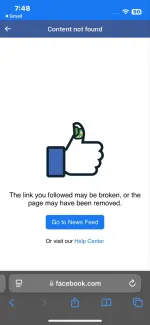
Solution
UPDATE: na-recover na guys, kapag connected yung phone number & email niyo sa acc niyo mas ma-fa-facilitate yung pag-recover ng account...Narecover na ba idol?
🤖
🤖
Hello! I'm sorry to hear about your locked Facebook account. Here are some steps you can take to try to recover it:
1. Go to the Facebook login page and click on "Forgot Password."
2. Enter the email address or phone number associated with your account.
3. Follow the on-screen instructions to verify your identity. This may involve receiving a code via email or text message.
4. Once you have verified your identity, you should be able to reset your password and regain access to your account.
If you're having trouble with the link provided by Facebook, you can also try the following alternative methods to recover your account:
1. Contact Facebook Support: Visit the Facebook Help Center and look for the option to report a problem with your account. Provide as much information as you can about your situation and follow any instructions given by Facebook support.
2. Trusted Contacts: If you have set up trusted contacts on your account, you can reach out to them to help you regain access.
3. Two-Factor Authentication: If you have two-factor authentication enabled on your account, make sure you have access to the authentication method (such as a phone number or authentication app) to receive codes for account recovery.
If none of these methods work, it's important to stay patient and persistent. Facebook's security measures are in place to protect your account, so following their guidelines and providing accurate information is crucial for successful recovery.
1. Go to the Facebook login page and click on "Forgot Password."
2. Enter the email address or phone number associated with your account.
3. Follow the on-screen instructions to verify your identity. This may involve receiving a code via email or text message.
4. Once you have verified your identity, you should be able to reset your password and regain access to your account.
If you're having trouble with the link provided by Facebook, you can also try the following alternative methods to recover your account:
1. Contact Facebook Support: Visit the Facebook Help Center and look for the option to report a problem with your account. Provide as much information as you can about your situation and follow any instructions given by Facebook support.
2. Trusted Contacts: If you have set up trusted contacts on your account, you can reach out to them to help you regain access.
3. Two-Factor Authentication: If you have two-factor authentication enabled on your account, make sure you have access to the authentication method (such as a phone number or authentication app) to receive codes for account recovery.
If none of these methods work, it's important to stay patient and persistent. Facebook's security measures are in place to protect your account, so following their guidelines and providing accurate information is crucial for successful recovery.
xXx-KuyaJ-xXx
Forum Expert
nakaka change password kapa?
pag login may lumabas Something went wrong?
pag login may lumabas Something went wrong?
oo lodz, tsaka pagka-login nagpopop-up yung na-lock daw account.. need daw i-confirm identity ganon...nakaka change password kapa?
pag login may lumabas Something went wrong?
may access naman lodz, may chance pa kaya ma-recover? dito kasi sa phc wala pa 'kong nakikitang thread na may nakapag-recover na nung locked account nila ehmalabo na if wala ka access sa mga number or email
xXx-KuyaJ-xXx
Forum Expert
narecover ko locked account ko kanina umaga, fb lite gamit ko november version, retry2x lang dun sa part mag bigay code gamit phone numbere para maka pasok sa next step at ma unlock na account mo,may access naman lodz, may chance pa kaya ma-recover? dito kasi sa phc wala pa 'kong nakikitang thread na may nakapag-recover na nung locked account nila eh
thanks sa info lodz, try ko.narecover ko locked account ko kanina umaga, fb lite gamit ko november version, retry2x lang dun sa part mag bigay code gamit phone numbere para maka pasok sa next step at ma unlock na account mo,
UPDATE: na-recover na guys, kapag connected yung phone number & email niyo sa acc niyo mas ma-fa-facilitate yung pag-recover ng account...Narecover na ba idol?
- Status
- Not open for further replies.
About this Thread
-
11Replies
-
718Views
-
6Participants
Last reply from:
rin_wxzy
rin_wxzy
New Topics
-
Sharp Samm Videoke
- Started by bossa_negra
- Replies: 0
- 💬 Chitchat
-
Looking or help sana thanks
- Started by tabalu
- Replies: 0
- 💬 Chitchat
-
Kamusta na ung Carziqo
- Started by Mar_007
- Replies: 3
- 💬 Chitchat
-
Anu maganda motor for low budget and low consumption lng sa gas
- Started by zenzenzens
- Replies: 3
- 💬 Chitchat
-
Huwag na i-Follow itong Fake Doctor sa Social Media
- Started by GoatPhomator666
- Replies: 2
- 💬 Chitchat
-
Awareness Para sa mga Baguhan dito sa Forum na Buyer
- Started by BossHabibi
- Replies: 23
- 💬 Chitchat
-
For estab help pa react
- Started by edishingk0
- Replies: 1
- 💬 Chitchat
-
Para Saan Itong HOLIDAY SCAM Advisory ng NTC?
- Started by GoatPhomator666
- Replies: 1
- 💬 Chitchat
-
Netflix accounts pasabit
- Started by Mau23
- Replies: 0
- 💬 Chitchat
-
Distrokid updates YT 2 months no sahod
- Started by RARasputin
- Replies: 26
- 💬 Chitchat
Trending Topics
Online now
- Members online
- 334
- Guests online
- 6,390
- Total visitors
- 6,724