PH
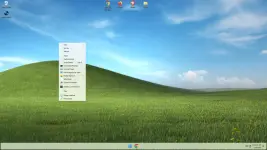
PHOptimum 11 24H2 [Pro] v4.4b • OS Build 26100.2033
If you're familiar with our 22H2 and 23H2 Optimum 11 builds, this release will
make you feel right at home, as it offers a similar experience, and is designed to
be as small, light, and responsive as possible, and designed to work on any PC
If you can install and run Windows 10 on your PC and have SSE4.2 support,
you'll be able to do the same with this release.
Changes in v4.4b include:If you're familiar with our 22H2 and 23H2 Optimum 11 builds, this release will
make you feel right at home, as it offers a similar experience, and is designed to
be as small, light, and responsive as possible, and designed to work on any PC
If you can install and run Windows 10 on your PC and have SSE4.2 support,
you'll be able to do the same with this release.
• Based on OS Build 26100.2033
• Fixes Update issue some users experienced in v4.4
• Improved Additional Language Support
• New themes and default Desktop look
• Floating task bar enabled by default
• Additional Improvements and Optimization
If you'll be adding a language pack and changing the default language after installation, please make sure you add your desired language, enable it, and restart your PC BEFORE updating the OS Build. Newer OS Builds have issues with full system wide language translation, which is why this specific OS Build was used for this release.
BUILD INFO:
• 2.58 GB ISO
• 4.75 GB Installed Size
• Debloated and Optimized out of the box
• Optional Windows Defender
• Optional File Explorer Gallery
• Full Featured, Updatable Build
• Virtual Memory Enabled by Default
• Automatic Updates Paused Until 3000
• Integrated Intel RST Drivers into Setup
• Includes Optional File Explorer Transparency
• Extreme Performance for your Apps and Games
• Full Support for UWP Apps, Xbox, MS Store and much more
• Full Support for Additional Language Packs, Speech, Voice, etc.
• Full support for all optional features including WSA and WSL2
• Enabled Rounded Corners, Acrylic, and Mica by default (Even in a VM!)
• Automatic Updates can be paused for up to 10 years after resuming
• Additional Improvements and Optimizations Included
• No Pre-installed UWP Apps
• MS Store Installer Included
Designed to work with all Apps and Games,
on All PCs. Old or new, weak or strong, Desktop or Laptop.
 Bypasses TPM, Secure Boot, RAM, CPU, and Storage Checks Bypasses Microsoft's Forced Account Creation during Setup / Installation
Multi Build ISO With Selective Windows Defender During Setup
Removed Features Include - Edge, Smart Screen, UWP Apps, Webview & Widgets
Disabled Features Include - Defender (Optional), Bitlocker, Windows Ink Workspace, Error Reporting, Indexing, UAC, Ads, Telemetry, Hibernation, Power Throttling.
Performance Prioritized! - This build has been designed to Maximize Performance, Responsiveness, and Resource Savings.
INSTALLATION:
Use Rufus software to write the ISO to a USB Drive.
• Boot from the USB Drive, and Perform a Clean Installation to your desired partition.
• *Your PC Will Reboot Once, Shortly After Installation Completes
VISIT HERE TO DOWNLOAD
For AMD Ryzen PC's, please download the latest Chipset Drivers
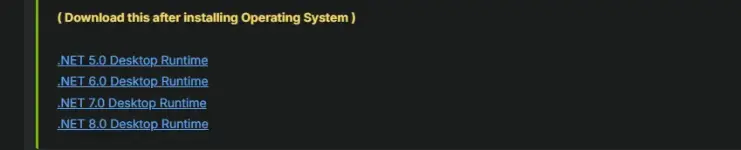

DOWNLOAD HERE > You do not have permission to view the full content of this post. Log in or register now.