 PH
PH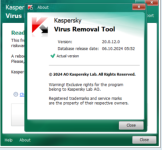
Advantages Of Kaspersky Virus Removal Tool :
- Simplified interface.
- Can be installed to an infected computer (Safe Mode supported).
- Composite scan and disinfection system: signature detection and heuristic analyzer.
- Gathering system information and interactive creation of scripts for disinfection.
- Automatic and manual removal of virus, Trojans and worms.
- Automatic and manual removal of Spyware and Adware modules.
- Automatic and manual removal of all types of rootkits.
- System memory scan is unavailable in x64 versions of Windows XP / Vista / 7 due to specific features of application system drivers.
- Impossible to rename application folder if User Account Control is enabled in Windows Vista settings and application Self-Defence disabled.
- File Name: Kaspersky Virus Removal Tool
- Developer: You do not have permission to view the full content of this post. Log in or register now.
- License Type: full_version
- Version: v20.0.12.0
- Uploaded by: Gigapurbalingga Team
- Supported Operating System: Windows 11, Windows 10, Windows 8.1, Windows 7.
- Required RAM: 1 Gigabytes RAM (2 GB recommended).
- Required Storage: 200 MB or more.
- File size: 110 MB
Password:123
You do not have permission to view the full content of this post.
Log in or register now.