Country Flags Feature Update

We’re excited to announce the addition of a new feature: country flags!
This update introduces the ability to display the country flag representing the location from which a user posted or sent a direct message.

How It Works​

  • System Emoji Integration: The flags are automatically pulled from your system’s emoji set. This ensures consistency with your existing emoji display.
  • Permissions-Based Visibility: Only logged-in users have the ability to view the country flag associated with posts (no country flag on guest view).

Important Notes​

  • No Disable Option Yet: Currently, there is no dedicated setting to turn off the country flag display for users.
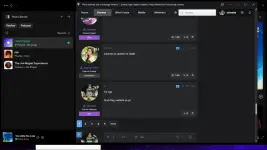
This feature adds a visual layer to user interactions, offering a simple way to identify the location of the user.
 
try nga

hindi flag nakikita sa pc

Initial lng nakikita bossing


Screenshot (12).webp
 
Limitation yan ng Windows emoji set.

From this...
To this...

At dahil right now ay wala pang option to disable it and as a PC user, parang ang weird nung dalawang letter sa tabi ng name so I checked for a solution.

Simply download this browser extension:


You do not have permission to view the full content of this post. Log in or register now.


It's a simple extension that will fix the country flag display in the mean time.

Suggest ko lang boss Draft , kaya po kayang mag-upload ng lang ng flag icons instead of gawing based on emoji yung country flag display?
Salamat dito na fix na yung mga placeholder na flags pag PC gamit ko haha. Meron ako nakita sa github na repo pero na discontinued na parang tweak sa PC na merong flags

You do not have permission to view the full content of this post. Log in or register now.
 

About this Thread

  • 162
    Replies
  • 12K
    Views
  • 135
    Participants
Last reply from:
papadee

Online now

Members online
1,027
Guests online
1,090
Total visitors
2,117

Forum statistics

Threads
2,272,804
Posts
28,945,386
Members
1,236,416
Latest member
Jananoni2030
Back
Top