 PH
PHdothackjhe
Forum Master
Are you finding yourself unable to access some websites that were previously accessible to you, even without using a VPN? But now, especially without a VPN, you find yourself unable to access them, even when opting to change your Domain Name Server (DNS). If this is your case, then your ISP is probably blocking access to those sites via the so-called Deep Packet Inspection (DPI).
It's a good thing, however, that there is an app that can help you circumvent the issue and thereby access them, and it is not even a VPN: it's called "Goodbye DPI".
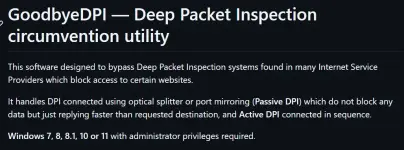
How to use Goodbye DPI?
Step 1: Download the latest release of the app below:
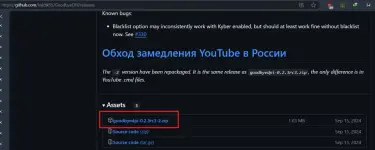
Step 2: Extract the app from its compression (use 7zip or a similar app).
Step 3: Run the app in the background
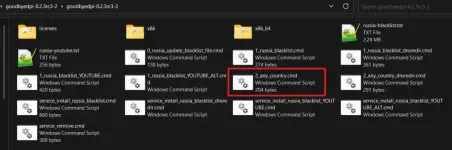
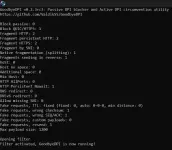
Step 4: While the app is running in the background, access the website you're trying to gain access to.
Done.
It's a good thing, however, that there is an app that can help you circumvent the issue and thereby access them, and it is not even a VPN: it's called "Goodbye DPI".
How to use Goodbye DPI?
Step 1: Download the latest release of the app below:
You do not have permission to view the full content of this post.
Log in or register now.
Step 2: Extract the app from its compression (use 7zip or a similar app).
Step 3: Run the app in the background
Step 4: While the app is running in the background, access the website you're trying to gain access to.
Done.