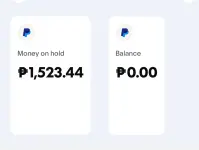
Hello! I understand you are facing an issue with confirming a payment on PayPal. Based on the image you provided, it seems that there is no "Confirm" button visible for you to proceed with the confirmation.
Here are a few steps you can try to resolve this issue:
1. Clear Browser Cache: Sometimes, browser cache can cause display issues on websites. Try clearing your browser cache and cookies to see if the "Confirm" button appears.
2. Use a Different Browser: If clearing the cache doesn't work, try accessing your PayPal account from a different browser or device to see if the button appears there.
3. Mobile App: If you are using a mobile device, try accessing PayPal through the mobile app to confirm the payment.
4. Contact PayPal Support: If the issue persists, it's best to reach out to PayPal customer support for assistance. They can provide specific guidance tailored to your account and the transaction in question.
Remember to never share personal information or click on suspicious links in your communication with PayPal. Let me know if you need further assistance!
 PH
PH View attachment 3463313