 PH
PHArtimatrix
Forum Veteran
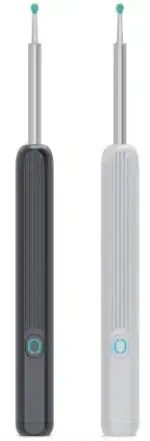
Medyo na bored ako kaya naisipan ko gawan ng pang PC yung tool nato hihi
share kolang baka magustuhan nyo
Usage
- Turn on your earpick
- Connect your PC to the earpicks WiFi (hndec-xxxx)
- Start the software and click Start
NE3 Wireless PC is a Windows Forms application that provides a graphical interface for interacting with NE3 wireless devices. This application is a port of the original Python project to C#.
## Features
- Monitors Wi-Fi connection status and handles connection/disconnection events.
- Discovers NE3 devices on the network using UDP broadcast.
- Receives and processes image data from NE3 devices.
- Displays the received images in a window using OpenCV.
- Handles angle data to rotate the displayed images accordingly.
## Requirements
- .NET Framework 4.7.2
- OpenCvSharp
## Installation
1. Clone the repository:
2. Open the solution in Visual Studio.
3. Restore NuGet packages:
- In Visual Studio, go to
Tools > NuGet Package Manager > Package Manager Console.- Run the following command in the Package Manager Console:
4. Build the solution:
- In Visual Studio, go to
Build > Build Solution or press Ctrl+Shift+B.## Usage
1. Run the application.
2. The application will start monitoring the Wi-Fi connection status.
3. When a NE3 device is discovered, the "Start" button will be enabled.
4. Click the "Start" button to begin receiving and displaying image data from the NE3 device.
5. Click the "Stop" button to stop receiving data.
## Contributing
Contributions are welcome! Please open an issue or submit a pull request for any improvements or bug fixes.
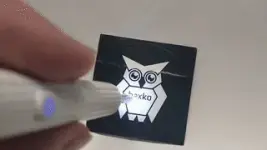
You do not have permission to view the full content of this post. Log in or register now.