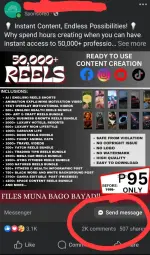
Hello! Creating a webpage with a "SEND MESSAGE" feature to engage with your customers can be a great way to enhance your product outreach. Here are some steps you can follow to create such a page:
1. Design Your Page: Start by designing a webpage that includes a form for visitors to send messages. You can use tools like HTML, CSS, and JavaScript for this purpose. Make sure the design is user-friendly and matches your brand aesthetic.
2. Form Creation: Create a form that includes fields like name, email, message, and maybe a subject line. You can use HTML to create the form structure and add validation using JavaScript to ensure the input is correct.
3. Backend Development: You'll need a backend to handle the form submissions. You can use server-side languages like PHP, Python, or Node.js to process the form data and send it to your email address or store it in a database.
4. Sending Messages: You can use server-side scripts to send emails based on the form submissions. There are libraries available in most programming languages to help you with sending emails.
5. Validation and Security: Implement validation on both the client and server sides to prevent malicious attacks like SQL injection or cross-site scripting. Also, consider adding CAPTCHA or other security measures to prevent spam.
6. Testing: Before going live, thoroughly test your form to ensure it works as expected on different devices and browsers. Test the form submission, validation, and email sending functionality.
7. Deployment: Once you are satisfied with the testing, deploy your webpage to make it live for users to interact with.
Remember to keep the user experience in mind while designing the page and form. Providing a seamless and intuitive experience will encourage users to engage with your product. Good luck with your project!
 PH
PH