PH
PHVich-Calcifer
Eternal Poster
I'm not sure kung may thread na nito, but let me have my own thread for my future use.
Also credits to You do not have permission to view the full content of this post. Log in or register now., so far sa kanya pa yung working, HAHAHA.
Download Documents from studocu:
STEPS:
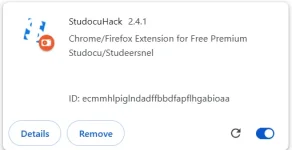
A. Download extension.

B. Install/unpacked extension (In Chrome)


HOW TO DOWNLOAD
Also credits to You do not have permission to view the full content of this post. Log in or register now., so far sa kanya pa yung working, HAHAHA.
Download Documents from studocu:
Code:
https://www.studocu.com/STEPS:
A. Download extension.
Provided download links:
Note: .xpi for firefox
Next: after downloading the file, unzip/extract it.
B. Install/unpacked extension (In Chrome)
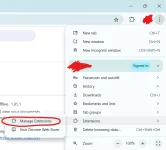
1. Go to manage Extension in Settings or type on address bar [chrome://extensions/]
2. On Deveploper Mode
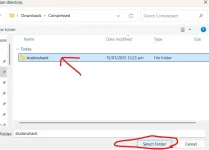
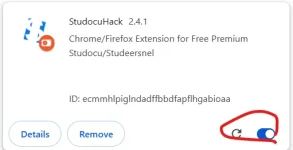
3. Load unpacked then look for the extracted file. Installed and Done.
And in Firefox browser: type [about:addons] in the address bar, do the same steps.
HOW TO DOWNLOAD
Code:
1. For documents over 20 pages, scroll down to ensure all images load completely.

2. Click 'Download' to preview the document in a new tab.

3. In the new tab, press Ctrl + P  and select 'Save as PDF' to download the document.