 PH
PH
Revo Uninstaller has some advanced modules that are not available in other versions. It has advanced and fast algorithms to scan and remove unnecessary files, folders and registry entries. It has easy-to-use tools to manage all your programs, such as canceling automatic program startup, stopping deletion and uninstallation and many more additional tools.
Revo Uninstaller is a program that helps you completely uninstall programs from your computer. The program will remove all programs and related files from your computer, including program files, temporary files, registry files, and other unnecessary data, so that your computer can run efficiently and without junk files.
Features of Revo Uninstaller program
- Uninstall the program completely, remove all associated files and data from your computer.
- Supports uninstalling programs that cannot be uninstalled by normal methods.
- Displays a list of all files and associated data before deleting, allowing users to review and select the files they want to delete.
- There are 3 different uninstallation modes to choose from according to your needs.
- Support Thai language
Advantages of Revo Uninstaller
- Uninstall programs perfectly
- Supports uninstalling programs that cannot be uninstalled by normal methods.
- There are 3 different uninstallation modes to choose from according to your needs.
- Support Thai language
Revo Uninstaller is a program that helps to completely uninstall programs from your computer. The program is capable of uninstalling programs that cannot be uninstalled by normal methods. It also has 3 different uninstallation modes to choose from according to your needs. This makes Revo Uninstaller a program that is suitable for users who want to uninstall programs from their computers efficiently and safely.
Features :
- Improved scanning for leftovers
- New support for Microsoft Edge
- Improved scanning for leftovers
- Advanced scanning for leftovers files
- Batch uninstallation (multiple apps)
- Can also irrecoverably delete files
- Cleans files in the temporary folder
- Manage installation and application logs
- Manage Windows start-up applications
- Multi-level backup system (restore point)
- Real-Time installation monitoring
- Remove stubborn or broken programs
- Removes history and cache of browsers
- Remove unnecessary files
- And more…
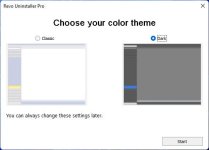
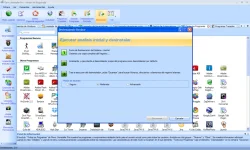
Screenshot
System Requirements
- Windows Vista/ 7/ 8/ 8.1/ 10 / 11 (32-bit or 64-bit – all editions)
- Computer with reasonable speed
- 40 MB disk space
You do not have permission to view the full content of this post.
Log in or register now.
You do not have permission to view the full content of this post. Log in or register now.
You do not have permission to view the full content of this post. Log in or register now.

