 PH
PH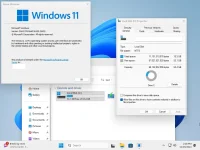
Highlights of Tiny11:
- Small size: takes up less space to install This makes it possible to install even on computers with limited storage capacity.
- Lightweight: Use less memory (RAM), making the computer run smoother. Suitable for older computers with low specifications.
- No bloatware: Optimized to remove unnecessary bloatware, free up space and run faster.
- Focus on the basics: All the basic functions needed are included. Suitable for those who want a simple and easy-use operating system.
– Clipchamp
– News
– Weather
Xbox (Pyto-Holy Identity provider is still here, so it should be possible to be reinstalled with no issues)
– GetHelp
– GetStarted
– Office Hub
– Solitaire
– PeopleApp
– PowerAutomate
– ToDo
– Alarms
– Mail and Calendar
– Feedback Hub
– Maps
– Sound Recorder
– Your phone
– Media Player
– QuickAssist
– Internet Explorer
– Tablet PC Math
– Edge
– OneDrive
Windows Component Store (WinSxS)
Windows Defender (only disabled, can be enabled back if needed)
Windows Update (Windows Update wouldn't work anyway without WinSxS, so enabling it will only put the system in a state where it would try to update but fail spectacularly)
– WinRE
Known issues
1. Although Edge is removed, there are some remnants in the Settings. But the app in itself is deleted. You can install any browser using WinGet (after you update the app using Microsoft Store). If you want Edge, Copilot and Web Search back, simply install Edge using Winget:
winget install edge. Note: You might have to update Winget before being able to install any apps, using Microsoft Store.2. Outlook and Dev Home might reappear after some time.
Download Tiny11 Core v24H2 Build 26100.2605
File size: 2.81GB
PixeldrainYou do not have permission to view the full content of this post. Log in or register now.
