 PH
PHWSODownload
Established
Free Download AwTeaches - Evening Simulation
Description:
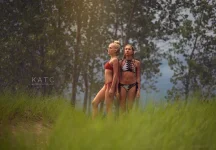
In this tutorial, you will learn how to create the evening light effect, even when your photos are taken during the day. Evening light is often regarded as one of the best natural light sources for photography, but many photographers struggle with capturing it properly. This tutorial will teach you how to simulate this beautiful lighting effect using Adobe Photoshop and Adobe Camera RAW.
What You Will Learn
In this tutorial, Audrey will guide you through the process of transforming daytime images into ones that appear as if they were captured during the evening. This involves adjusting the colors, tones, and contrast to mimic the soft, warm light typical of the evening hours.
Techniques Covered
Software Used:
Conclusion
By the end of this tutorial, you will be able to take any image captured during the day and transform it into one that beautifully mimics the warm, inviting light of the evening. This technique will open up new possibilities for creating stunning, atmospheric photography regardless of the time of day when the photo was actually taken.
Content Source: You do not have permission to view the full content of this post. Log in or register now.
DOWNLOAD NOW: AwTeaches - Evening Simulation Download
Description:
In this tutorial, you will learn how to create the evening light effect, even when your photos are taken during the day. Evening light is often regarded as one of the best natural light sources for photography, but many photographers struggle with capturing it properly. This tutorial will teach you how to simulate this beautiful lighting effect using Adobe Photoshop and Adobe Camera RAW.
What You Will Learn
In this tutorial, Audrey will guide you through the process of transforming daytime images into ones that appear as if they were captured during the evening. This involves adjusting the colors, tones, and contrast to mimic the soft, warm light typical of the evening hours.
Techniques Covered
- How to use Adobe Photoshop and Adobe Camera RAW to adjust light and shadows.
- Tips for creating realistic evening light effects using digital editing.
- How to simulate the warm, golden tones typically seen in evening photos.
Software Used:
- Adobe Photoshop
- Adobe Camera RAW (Adobe Lightroom may be substituted)
Conclusion
By the end of this tutorial, you will be able to take any image captured during the day and transform it into one that beautifully mimics the warm, inviting light of the evening. This technique will open up new possibilities for creating stunning, atmospheric photography regardless of the time of day when the photo was actually taken.
Content Source: You do not have permission to view the full content of this post. Log in or register now.
DOWNLOAD NOW: AwTeaches - Evening Simulation Download
DOWNLOAD LINKS
Links are Interchangeable - No Password - Single ExtractionFileaxa
You do not have permission to view the full content of this post. Log in or register now.
TakeFile
You do not have permission to view the full content of this post. Log in or register now.
Rapidgator-->Click Link PeepLink Below Here Contains Rapidgator
You do not have permission to view the full content of this post. Log in or register now.
You do not have permission to view the full content of this post. Log in or register now.
Fikper
You do not have permission to view the full content of this post. Log in or register now.