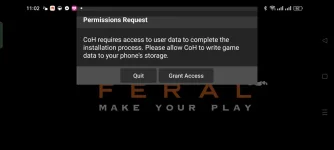
Hello Kapitanoso! Happy new year! I understand that you are having trouble getting Company of Heroes to work on your Android device. There could be several reasons why the game is not functioning properly. Here are a few troubleshooting steps you can try:
1. Check Compatibility: Make sure that your device meets the minimum requirements for running the game. Company of Heroes requires a relatively powerful device to run smoothly.
2. Update Game and Device: Ensure that both the game and your device's operating system are up to date. Developers often release updates to fix bugs and improve performance.
3. Clear Cache and Data: Sometimes, accumulated cache and data can cause issues with the game. Try clearing the cache and data of the Company of Heroes app in your device settings.
4. Reinstall the Game: If none of the above steps work, consider uninstalling and then reinstalling the game. This can sometimes resolve underlying issues causing the game to malfunction.
5. Contact Support: If you have tried all the above steps and the game still does not work, consider reaching out to the game's support team for further assistance. They may be able to provide specific troubleshooting steps for your device.
I hope these suggestions help you get Company of Heroes up and running on your Android device. Feel free to ask if you need more assistance!
 PH
PH