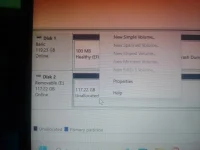
❓ Help Disk 2 Removable 117.22 GB

isnt it

Honorary Poster
Ang dami ko na na download na pinapa download saken sa mga nababasa ko kay google pero wala naman gumagana, kailangan ata may bayad talaga 😭

paano po ba ito? paikot ikot na lang ako sa format,partition at kung ano ano na po mga ginawa ko ayaw talaga mawala yung unallocated naging RAW kasi yan tapos di ko alam kung paano ko nagawa yung CARD E: FAT 1.86 GB lang dapat sinagad na nya eh.
sorry po hindi ako marunong sa ganito sana may tumulong sakin.
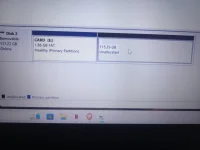
IMG20241228024345_01.webp

17353265031976313584679754383165.webp
 
I'm sorry to hear about the troubles you're facing with your external hard drive. It seems like you've encountered some issues with formatting and partitioning the drive, resulting in unallocated space and a RAW partition. Let's try to troubleshoot and resolve these issues step by step:

1. Backup Important Data: Before proceeding with any further steps, make sure to backup any important data you have on the drive. This is crucial to prevent data loss during the troubleshooting process.

2. Convert RAW to NTFS or FAT32: To address the RAW partition issue, you can try using a data recovery tool like TestDisk or MiniTool Partition Wizard to convert the RAW partition back to NTFS or FAT32 format. These tools can help recover lost partitions and repair the file system.

3. Reformat the Drive: If converting the RAW partition doesn't work, you may need to reformat the entire drive. You can do this by opening Disk Management on Windows or Disk Utility on MacOS, deleting all existing partitions on the drive, and creating a new partition with the desired file system (NTFS for Windows or exFAT for cross-platform compatibility).

4. Resize the Partition: To utilize the full capacity of your drive, you can resize the existing partitions or create a new partition with the remaining unallocated space. This can be done within Disk Management or Disk Utility by right-clicking on the partition and selecting the option to extend or create a new volume.

5. Verify Drive Health: It's also important to check the health of your external hard drive using tools like CrystalDiskInfo or Disk Utility. This can help identify any physical issues with the drive that may be causing the problems you're experiencing.

Remember, it's always a good idea to seek assistance from a professional if you're unsure about any steps or if the issues persist. Data recovery and disk repair can be complex processes, and it's important to handle them with care to avoid further data loss. I hope these steps help you resolve the issues with your external hard drive.
 
Run Diskpart, run as administrator.
Type list disk
Type select disk0 or disk1 (kung what disk yung drive mo)
Type clean
 
Start mo si Disk Management, sa Disk 2, right click on Card E: partition > click on Extend volume > click on Next, magiging FAT yung buong SD card.
Next, right click mo uli si Card E: > click on Format > maglagay ka ng Volume label for identification ni SD card, sa File system piliin mo yung exFAT para walang limit ang file size na pwede mong i-save > click on Ok.
Note: Ang exFAT ay file system na pare-parehong supported nila Android, Windows, MacOS, at Linux.
 
Start mo si Disk Management, sa Disk 2, right click on Card E: partition > click on Extend volume > click on Next, magiging FAT yung buong SD card.
Next, right click mo uli si Card E: > click on Format > maglagay ka ng Volume label for identification ni SD card, sa File system piliin mo yung exFAT para walang limit ang file size na pwede mong i-save > click on Ok.
Note: Ang exFAT ay file system na pare-parehong supported nila Android, Windows, MacOS, at Linux.
IMG_20250103_222118.webp

ganito lang po siya
 
Ituloy mo na sa formatting:
Right click mo sa Unallocated space > click on New simple volume > sa New simple volume wizard click mo yung Next > sa Volume size, default yung kabuuan nung drive ~117,220 MB, kahit hindi mo na i-specify, click on Next > sa Format partition, piliin mo yung exFAT sa File system, tapos click mo na yung Next at Finish, hintaying matapos yung formatting.
 

About this Thread

  • 8
    Replies
  • 380
    Views
  • 4
    Participants
Last reply from:
Pen_J

Trending Topics

Online now

Members online
1,116
Guests online
948
Total visitors
2,064

Forum statistics

Threads
2,273,741
Posts
28,951,230
Members
1,234,939
Latest member
bloody666
Back
Top