PH
PH 𝗔𝗟𝗟 𝗩𝗘𝗥𝗦𝗜𝗢𝗡 𝗖𝗢𝗡𝗙𝗜𝗚 (STRICTLY ONLY FOR ANDROID)
 Features:
[
 ]
] Fast Landing in Br 7%
[
]Aimassist Vip Max[
]AimbotLock High[
]1 bullet 3 Headshot[
]Full Aim Controller[
]Zalet for head[
]No recoil[
]Aim On Head high[
]Bullet track vip[
]Majic bullet vip[
]No Spread[
]Close range beast[
]One Shot SniperINSTRUCTIONS:
May need a PC if you have a phone with an Android 10 and above. The SHIZUKU app is needed to access the ANDROID/Data folder and paste the necessary files. Android has implemented strict protocol access through its API versions for security compliance.
GLOBAL AND GARENA STEP WITH PC STEPS:
1. IF you have a PC, please connect directly to your phone and paste the necessary files through the file folder location (ANDROID/DATA/com.garena or com.activision/files).
2. Extract the ZIP file and go directly
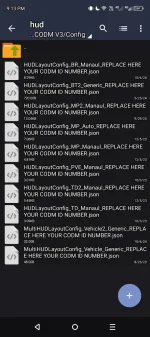
3. Go to the extracted file folder location and rename the JSON files inside the HUD and JOYSTICK to your CODM ID.
3.a. You may get your CODM ID NUMBER via your CODM profile
Spoiler contents are visible only to Established Members.
5. Go to practice shooting room and wait till the countdown timer of the game is loaded.
6. Navigate to your extracted ZIP file location and copy the files.
7. Go to ANDROID/DATA/ and find the folder for Activision OR Garena.
8. Paste the file folder CONFIG and disable_smart.dat to the Activision/Garena CONFIG folder
9. Go back to the game and play.
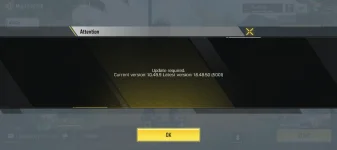
10. Repeat the steps if ever you relogin or quit the app so that it will reactivate the config files. The app has a tendency to redownload the original files, therefore losing the configs.
GLOBAL AND GARENA STEP WITHOUT PC STEPS:
1. Get the Zarchiver and Shizuku app from the Playstore app.
1.a. If you have Android 10 and above, please use Shizuku for non-rooted phones.
1.b Go to the Shizuku app and follow ADB START instructions by connecting to a computer.
2. Extract the ZIP file and go directly
3. Go to the extracted file folder location and rename the JSON files inside the HUD and JOYSTICK to your CODM ID.
3.a. You may get your CODM ID NUMBER via your CODM profile
Spoiler contents are visible only to Established Members.
5. Go to practice shooting room and wait till the countdown timer of the game is loaded.
6. Switch to Zarchiver app and navigate to your extracted ZIP file location and copy the files.
7. Go to ANDROID/DATA/ and find the folder for Activision OR Garena.
8. Paste the file folder CONFIG and disable_smart.dat to the Activision/Garena CONFIG folder
9. Go back to the game and play.
10. Repeat the steps if ever you relogin or quit the app so that it will reactivate the config files. The app has a tendency to redownload the original files, therefore losing the configs.
VIRUSCAN JOTTI PROOF OF NO VIRUS:
Spoiler contents are visible only to Established Members.
DOWNLOAD LINK MIRRORS:
MEDIAFIRE
You do not have permission to view the full content of this post. Log in or register now.
DROPMB
You do not have permission to view the full content of this post. Log in or register now.
PASS: NOT WORKING WAIT FOR ANOTHER POST