PH
PHKuririChan
Forum Veteran
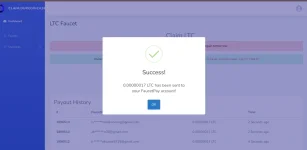
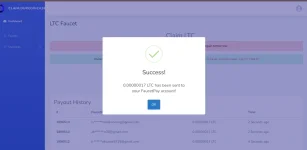
This script automates the process for you! It intelligently clicks "Claim Now" and "Go Claim" on both DOGE and LTC faucets and handles verification redirects. Maximize your crypto earnings effortlessly!
SCRIPT: Copy paste this!
JavaScript:
// ==UserScript==
// @name         OurCoinCash
// @namespace    AbyssNexus
// @version      0.5
// @description  This script automates the process for you! It intelligently clicks "Claim Now" and "Go Claim" on both DOGE and LTC faucets, handles verification redirects. ***DO NOT EDIT OR CLAIM OWNERSHIP OF THIS SCRIPT.*** Created by Abyss Nexus
// @author       Abyss Nexus
// @icon         data:image/jpeg;base64,/9j/4AAQSkZJRgABAQEAMAAwAAD/4QBWRXhpZgAATU0AKgAAAAgABAEaAAUAAAABAAAAPgEbAAUAAAABAAAARgEoAAMAAAABAAIAAAITAAMAAAABAAEAAAAAAAAAAAAwAAAAAQAAADAAAAAB/9sAhAACAgICAgICAgICAwMCAwMEAwMDAwQGBAQEBAQGCQUGBQUGBQkICQcHBwkIDgsJCQsOEA0MDRATERETGBcYHx8qAQICAgICAgICAgIDAwIDAwQDAwMDBAYEBAQEBAYJBQYFBQYFCQgJBwcHCQgOCwkJCw4QDQwNEBMRERMYFxgfHyr/wgARCAAgACADASIAAhEBAxEB/8QAGAAAAwEBAAAAAAAAAAAAAAAAAAMJBAX/2gAIAQEAAAAAg68QirRKXuW5IjJ2mH//xAAUAQEAAAAAAAAAAAAAAAAAAAAA/9oACAECEAAAAA//xAAUAQEAAAAAAAAAAAAAAAAAAAAA/9oACAEDEAAAAA//xAAnEAACAwAABQMEAwAAAAAAAAACBQMEBgABBwgSEyIyEUJicQkhwv/aAAgBAQABPwB9oHepdtNJpGlpk+ZWZLrBjdlKaxZsSF5nLIZ/I+fGVyug22kR5DLLJ2WjcXYVqyhWHzls2bBeAAH7LjVZV/idG+yOpWTrdEmvTLWdGwPhLXtVy5gcZ/oh4Q6B3lnavSZtpaWvltmO6vY0pShsVrEZeYSxmHxPlwmVMXjRclT1JbbZhZhpUakA+cs9qwXpxQgP3EZFyHl++FlTH/xu5C48eWlmh75NCrkrKlVY4rlDpvQuR+B2bRh7JWkgl8f8fJnUxv8AJFj6jxHaWZ7vkzyuOs1VWTipUOpVCnH4BZqmfsiaRiPx/wAfFupYoWjNG4pyU26+3NSv05x8JYLNYuccsJj9pgY8x4wyjZOtOpgwCZo01cNmG2vrJ6ktu560B8pAOMIBMvYQ8uG/Z5077he5TqH1J6uaRlm7rTL5zqXL04UBXmZ3wOqMD+mFv1fATqW60kUgD7ovMCIuEvZ3077eu5Lp91J6SaRlo7ivL6TqXF05bhBCzoeFUoEFM7fq+JHbuWI44AL3S+BkJcbhPs0uncQ79Q0Waqa1NbYQN6stS3zmsGRmcgTiBe8vrw2pazEtNBk3AM0rerYNe4VT85asozVy8Dhni/D8uMz1C22PtoGOW0t9VfRX5mqixRmKGWlbnAY5ZoDD+x9QYxGT7T+nLy+vGm3+211t+w1Wmvtr76/E1b2rsxTTXbkAFHFLOR/2XpDIQh9o/Xn48KKWt2zRBk04M3be1YBenVQc5bcpTWC8Bhgi/P8AHj//xAAUEQEAAAAAAAAAAAAAAAAAAAAg/9oACAECAQE/AB//xAAUEQEAAAAAAAAAAAAAAAAAAAAg/9oACAEDAQE/AB//2Q==
// @match        https://claim.ourcoincash.xyz/faucet/currency/doge*
// @match        https://claim.ourcoincash.xyz/faucet/currency/ltc*
// @match        https://claim.ourcoincash.xyz/faucet/verify/doge*
// @match        https://claim.ourcoincash.xyz/faucet/verify/ltc*
// @grant        none
// ==/UserScript==

function _0x3f6f(_0x43bf25,_0x555405){const _0x5ad22a=_0x5ad2();return _0x3f6f=function(_0x3f6f40,_0x399ea0){_0x3f6f40=_0x3f6f40-0x152;let _0x8be28b=_0x5ad22a[_0x3f6f40];return _0x8be28b;},_0x3f6f(_0x43bf25,_0x555405);}(function(_0xe47925,_0x4ee6bd){const _0x533188=_0x3f6f,_0x34ff4e=_0xe47925();while(!![]){try{const _0x12ae32=parseInt(_0x533188(0x163))/0x1*(parseInt(_0x533188(0x167))/0x2)+parseInt(_0x533188(0x16c))/0x3*(parseInt(_0x533188(0x16b))/0x4)+parseInt(_0x533188(0x157))/0x5*(parseInt(_0x533188(0x161))/0x6)+parseInt(_0x533188(0x155))/0x7*(parseInt(_0x533188(0x160))/0x8)+-parseInt(_0x533188(0x16d))/0x9+parseInt(_0x533188(0x16e))/0xa+parseInt(_0x533188(0x15d))/0xb;if(_0x12ae32===_0x4ee6bd)break;else _0x34ff4e['push'](_0x34ff4e['shift']());}catch(_0x265e4d){_0x34ff4e['push'](_0x34ff4e['shift']());}}}(_0x5ad2,0xc0646),(function(){'use strict';const _0x37f39d={'DOGE':'doge','LTC':'ltc'};function _0x4b0e8a(){const _0x2c29fb=_0x3f6f;if(window[_0x2c29fb(0x168)][_0x2c29fb(0x15f)][_0x2c29fb(0x153)](_0x37f39d[_0x2c29fb(0x159)]))return _0x37f39d[_0x2c29fb(0x159)];else{if(window[_0x2c29fb(0x168)][_0x2c29fb(0x15f)][_0x2c29fb(0x153)](_0x37f39d[_0x2c29fb(0x171)]))return _0x37f39d['LTC'];}return null;}function _0x5b5a59(_0x4e3021,_0x1ff60c){const _0x44df87=_0x3f6f;return Math[_0x44df87(0x170)](Math['random']()*(_0x1ff60c-_0x4e3021+0x1)+_0x4e3021)*0x3e8;}function _0x19aeab(_0x4b300b){const _0x4b4a57=_0x3f6f,_0xd615ff=document[_0x4b4a57(0x16f)](_0x4b4a57(0x162));_0xd615ff?(console['log']('Abyss\x20Nexus:\x20Clicking\x20\x27Claim\x20Now\x27\x20button\x20('+_0x4b300b+_0x4b4a57(0x15e)),setTimeout(()=>_0xd615ff['click'](),0x1388)):(console[_0x4b4a57(0x165)](_0x4b4a57(0x15a)+_0x4b300b+_0x4b4a57(0x172)),_0x2fe8fd(_0x4b300b));}function _0x2fe8fd(_0x1a7a7b){const _0x556da7=_0x3f6f,_0x1a96b7=document[_0x556da7(0x154)](_0x556da7(0x164)+_0x1a7a7b+'\x22]');_0x1a96b7?(console[_0x556da7(0x165)](_0x556da7(0x156)+_0x1a7a7b+')...'),setTimeout(()=>_0x1a96b7[_0x556da7(0x169)](),0x1388)):(console[_0x556da7(0x165)](_0x556da7(0x15c)+_0x1a7a7b+_0x556da7(0x158)),window[_0x556da7(0x168)][_0x556da7(0x152)]());}function _0x5cb841(_0x557363){const _0x14d185=_0x3f6f;console[_0x14d185(0x165)]('Abyss\x20Nexus:\x20Verification\x20page\x20detected.\x20Navigating\x20back\x20to\x20faucet\x20page...'),window[_0x14d185(0x168)][_0x14d185(0x15f)]=_0x14d185(0x16a)+_0x557363;}function _0x2ca673(){const _0x553bf7=_0x3f6f,_0x17ce98=_0x4b0e8a();_0x17ce98?window['location'][_0x553bf7(0x15f)]['includes'](_0x553bf7(0x166))?_0x5cb841(_0x17ce98):_0x19aeab(_0x17ce98):console[_0x553bf7(0x165)](_0x553bf7(0x15b));}_0x2ca673();}()));function _0x5ad2(){const _0x26d55e=['42CIorBf','subbutt','1319iTEQGi','a[href=\x22https://claim.ourcoincash.xyz/faucet/currency/','log','/verify/','562DWfQtE','location','click','https://claim.ourcoincash.xyz/faucet/currency/','427788ZzpVGC','15nWLoNH','5703651hYyppk','1638460DIdWcF','getElementById','floor','LTC',')\x20not\x20found.\x20Checking\x20for\x20\x27Go\x20Claim\x27...','reload','includes','querySelector','616721yiCVRn','Abyss\x20Nexus:\x20Clicking\x20\x27Go\x20Claim\x27\x20button\x20(','42995toUkvM',')\x20not\x20found.\x20Refreshing\x20page...','DOGE','Abyss\x20Nexus:\x20\x27Claim\x20Now\x27\x20button\x20(','Abyss\x20Nexus:\x20Coin\x20type\x20not\x20recognized.\x20Script\x20will\x20not\x20run.','Abyss\x20Nexus:\x20\x27Go\x20Claim\x27\x20button\x20(','2246871vjkjgn',')...','href','8ejmyAz'];_0x5ad2=function(){return _0x26d55e;};return _0x5ad2();}

/* Abyss Nexus */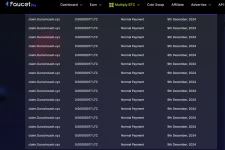
You do not have permission to view the full content of this post. Log in or register now.What it does:
- Automatically clicks "Claim Now" and "Go Claim" buttons on OurCoinCash's DOGE and LTC faucet pages.
- Includes a 5-second delay between clicks to simulate human interaction and avoid detection.
- Refreshes the page if neither "Claim Now" nor "Go Claim" is found.
- Automatically navigates back to the correct faucet page if redirected to a verification page.
 ourcoincash xyz/?r=16172
 https://claimBefore you begin:
- FaucetPay Account: You need a FaucetPay.io account to use OurCoinCash. If you don't have one, create it here: You do not have permission to view the full content of this post. Log in or register now.
- Link Your Wallets: Link your DOGE and LTC wallet addresses to your FaucetPay account.
- OurCoinCash Account: Sign up on OurCoinCash using my referral link to support me: https://claim
- Log in: Make sure you're logged into your OurCoinCash account.
ourcoincash xyz/?r=16172 https://claimHow to use the script (PC):
- Install Tampermonkey:
- Chrome: Get it from the Chrome Web Store.
- Firefox: Get it from Firefox Add-ons.
- Microsoft Edge: Get it from the Edge Add-on Store.
- Click the Tampermonkey icon in your browser's toolbar.
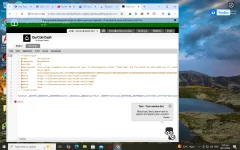
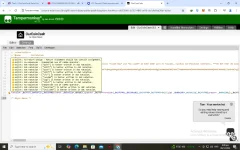
- Select "Create a new script...".
- Paste the code:
- Delete any default code in the editor.
- Copy the entire script code provided above (starting with // ==UserScript==) and paste it into the Tampermonkey editor.
- Save the script:
- Click "File" -> "Save" (or press Ctrl+S).
- Enable the script:
- Make sure the toggle next to the script's name in the Tampermonkey dashboard is switched to "Enabled."
- Visit OurCoinCash:
- Go to either the DOGE faucet page or the LTC faucet page.
- The script will automatically start working in the background.
ourcoincash xyz/?r=16172 https://claimHow to use the script (Mobile - Android):
- Install Kiwi Browser:
- Kiwi Browser supports extensions on Android. Get it from the Google Play Store: You do not have permission to view the full content of this post. Log in or register now.
- Install Tampermonkey:
- Open Kiwi Browser and go to the Chrome Web Store.
- Install Tampermonkey just like you would on a PC.
- Create and save the script:
- Follow steps 2-5 from the PC instructions above to create, paste, save, and enable the script within Kiwi Browser's Tampermonkey.
- Visit OurCoinCash:
- Open the DOGE or LTC faucet page in Kiwi Browser. The script will run automatically.
ourcoincash xyz/?r=16172 Disclaimer:
- Use this script at your own risk.
- Website owners may have terms of service that prohibit automated scripts.
- I (nor Abyss Nexus) am not responsible for any consequences that may result from using this script.