 PH
PH
Language: Multilingual | File size: 330 MB
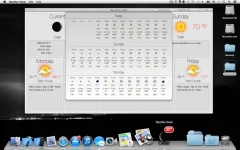
Weather Dock puts the weather right on your desktop. With a glance at the dock icon, you can see the current weather conditions, today's or tomorrow's forecast. With a single click you can access detailed current conditions and 7-day weather forecast.
Detailed weather forecast
• Access the detailed current conditions and 7-day weather forecast window with a single click
• Detailed 3-day two hourly forecast
• Multiple forecast location support
• Forecast window has animated icons
• Imperial or Metric units
• Weather updates every 60 minutes.
• Updates Weather automatically if update was missed due to sleep or lack of internet connection
Animated Customizable Dock Icon
• Icon badge shows: Current temp, wind or feels like temp or today's/tomorrow's min/max temp
• Displayed weather can be: Current Conditions, Today's or Tomorrow's forecast
• Weather Conditions text color: Black, White or White with Gray background
• Adjustable animation speed (can be turned off)
In-App Purchases: Full Version - included
Supported Operation Systems
macOS 10.13 or later
Screen :
What's New
Spoiler contents are visible only to Established Members.
HOMEPAGE
Code:
https://apps.apple.com/de/app/wetter-dock-wettervorhersage/id886290397?mt=12&uo=4
You do not have permission to view the full content of this post. Log in or register now.