Sa desktop mode sa first post, lahat yan na-test ko na since nilabas nila yung apps sa github. The ones provided here ay may installer na rin para madali. Ang problema na lang kung pasok yung hardware requirements ninyo (for cpu or gpu mode) to run the local models offline, whether you will use ggml/gguf format for local AI (offline mode). If not, use online LLM apis.
May LLM online option din na mas mabilis!
Yung GPT4All lang yung pure local AI (with limited online features), while the rest can use local and online apis (with api keys and endpoints or base urls if required). Medyo mahirap sa una for beginners pero kung marunong kayong sumunod sa docs and guides, you'll get used to it as client or server. Ang recommended ko for local AI for fast inference is either
You do not have permission to view the full content of this post.
Log in or register now. or the very fast
You do not have permission to view the full content of this post.
Log in or register now. na one-liner lang patakbuhin in cpu mode with +4GB available RAM. Kung may 8GB RAM kayo, pwede na yan for small quantized GGUF models for as low as ~2GB. Mabagal lang sa cpu mode, kaya may advantage lang yan sa may pasok na GPU card to use that option to speed-up the process. Hindi lahat ng GPU ay supported.
Ang payo ko lang sa beginners before using local AIs, just use
You do not have permission to view the full content of this post.
Log in or register now. first para maging familiar kayo sa common LLMs (used nowadays) aside from OpenAI GPTs. Login lang karamihan dyan ang kailangan to get a free account na automatic na provided ng UI using your email/s. Dyan pa lang, makaipon na kayo ng AI links to use separately. Merong free AI rin yan. Pag familiar na kayo, then move to ChatboX. Bago kayo mag-install, subukan nyo muna yung
You do not have permission to view the full content of this post.
Log in or register now. para matuto kayong mag-setup using your api accounts. Preferably, either start using your Google Gemini (AI Studio) account (Groq, Opentouter, Cohere, Deepseek... as examples) dahil madali yan at reliable yung models comparable to OpenAI. Ang maganda dyan sa Chatbox, it can do web search, read docs, images and links assuming your LLM can do it. The rest is up to you as you learn using apis. Pero ihuli nyo yung AnythingLLM at medyo advanced yan for local and online LLMs, though yung default settings can be useful if you know how it works. Medyo buggy sa ilan yung latest installers nyan sa Windows (be warned) as you'll be forced to use docker mode to set it properly, so you need to ask developers in their channels to fix or answer your issues, same as the rest provided here if the documents are of no help.
Sa LLM models, search nyo sa api sites nila which fit your tasks whether it's free or ρáíd or for offline use. Know the limits of your online apis as well as how to maximize use of your local apis. Kung gusto nyong tumagal prepare many emails he he. Sa local AI lang yung subok na unlimited use sa preferred ninyong UI na binigay sa first post. Interchangeable naman yung local apis sa supported UIs at karamihan dyan ay gamit yung OpenAI API Protocols to act like OpenAI GPTs. Meaning, any local AI api that is OpenAI compatible can be used in LMStudio, AnythingLLM, Chatbox, Jan and others like
You do not have permission to view the full content of this post.
Log in or register now.. Makuha nyo lang yung proseso para magamit sila, medyo madali na yang Chatbot tasks ninyo.
Marami pang iba dyan, pero the ones provided all work as intended, and are still being developed as of this day.
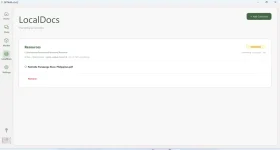
salamat dito lods! wala pa nakukuha na ᑕᕼᗩTGᑭT pro account para sa academic purpose pero nakita ko to and sinusubukan ko ngayun yung option sa gpt4all na local doc if ma bypass ko yung ᑕᕼᗩTGᑭT file upload kapag hindi ka naka pro.
Mukhang matatagalan nga lang nang unti kasi mabagal yung embedding nila
 View attachment 3297446
Kung gagamit ka ng embedding model ng nomic/gpt4all, ang speed nya ay depende sa hardware na gamit mo (cpu or gpu) bukod pa sa laki ng LLM model sa inference after that during actual chat. Matagal din ang embedding locally depende rin sa laki ng documents mo. Ganyan talaga ang local AI. Kung RTX 40xx ang gamit mo, medyo mabilis yan he he same as openAI.
Basahin mo nalang yung docs para ma-optimize mo paggamit nyan!
You do not have permission to view the full content of this post.
Log in or register now. PH
PH