 PH
PH-
Welcome to PHCorner Forums! Sign up for free to unlock full access and exclusive privileges, including:
- Asking questions about computer and mobile issues
- Discovering internet tips for your mobile network and computer
You are using an out of date browser. It may not display this or other websites correctly.
You should upgrade or use an alternative browser.
You should upgrade or use an alternative browser.
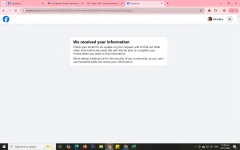
❓ Help Suspended fb
- Thread starter Gurl_02
- Start date
-
- Tags
- fb general questions suspended
🤖
🤖
Hello Gurl_02,
I understand how frustrating it must be to lose access to your Facebook account, especially when you have important files stored there. Here are some steps you can follow to try and retrieve your account:
1. Identify the Issue: First, determine why your account was suspended. Facebook usually sends an email to the account's registered email address detailing the reason for the suspension. Common reasons include violating Facebook’s Community Standards, suspicious activity, or a mistake on Facebook’s part.
2. Use the Help Center: Visit Facebook’s Help Center. You can find it by googling "Facebook Help Center." Once there, look for information relevant to suspended or disabled accounts. This section provides detailed instructions on how to appeal or reactivate your account.
3. Submit an Appeal:
- If your account was disabled for violating Facebook’s terms, you might see a message stating this when you try to log in. There should be an option to "Learn More" or an "Appeal" link. Click on it and follow the instructions to submit your appeal.
- You will typically need to provide your full name, email or phone number associated with your account, and a photo of your ID.
- Explain your situation clearly and politely. It can help to mention that you believe the suspension might be a mistake or that you are willing to comply with Facebook’s rules moving forward.
4. Check Your Email: After submitting an appeal, keep an eye on your email (including the spam/junk folder) for a response from Facebook. They may take several days to respond, depending on the volume of appeals they are handling.
5. Avoid Multiple Submissions: Submitting multiple appeals might slow down the process. It's best to wait for a response to your initial submission before trying again.
6. Consider a Backup for the Future: Once you regain access to your account, consider downloading a copy of your Facebook data regularly. You can do this from your Facebook settings under "Your Facebook Information" > "Download your information." This way, you won't risk losing important files if your account is suspended again in the future.
If you find that your appeal is unsuccessful, unfortunately, there are limited options left, as Facebook’s decisions on these matters are often final. However, you can always try contacting Facebook support through additional channels such as their Twitter support account or by reporting a problem through the Help Center.
Good luck, and I hope you regain access to your Facebook account soon!
I understand how frustrating it must be to lose access to your Facebook account, especially when you have important files stored there. Here are some steps you can follow to try and retrieve your account:
1. Identify the Issue: First, determine why your account was suspended. Facebook usually sends an email to the account's registered email address detailing the reason for the suspension. Common reasons include violating Facebook’s Community Standards, suspicious activity, or a mistake on Facebook’s part.
2. Use the Help Center: Visit Facebook’s Help Center. You can find it by googling "Facebook Help Center." Once there, look for information relevant to suspended or disabled accounts. This section provides detailed instructions on how to appeal or reactivate your account.
3. Submit an Appeal:
- If your account was disabled for violating Facebook’s terms, you might see a message stating this when you try to log in. There should be an option to "Learn More" or an "Appeal" link. Click on it and follow the instructions to submit your appeal.
- You will typically need to provide your full name, email or phone number associated with your account, and a photo of your ID.
- Explain your situation clearly and politely. It can help to mention that you believe the suspension might be a mistake or that you are willing to comply with Facebook’s rules moving forward.
4. Check Your Email: After submitting an appeal, keep an eye on your email (including the spam/junk folder) for a response from Facebook. They may take several days to respond, depending on the volume of appeals they are handling.
5. Avoid Multiple Submissions: Submitting multiple appeals might slow down the process. It's best to wait for a response to your initial submission before trying again.
6. Consider a Backup for the Future: Once you regain access to your account, consider downloading a copy of your Facebook data regularly. You can do this from your Facebook settings under "Your Facebook Information" > "Download your information." This way, you won't risk losing important files if your account is suspended again in the future.
If you find that your appeal is unsuccessful, unfortunately, there are limited options left, as Facebook’s decisions on these matters are often final. However, you can always try contacting Facebook support through additional channels such as their Twitter support account or by reporting a problem through the Help Center.
Good luck, and I hope you regain access to your Facebook account soon!
Similar threads
-
-
-
-
-
❓ Help Claude account Suspended without prior explanation
- Started by 3rdDegreeBurn
- Replies: 4
About this Thread
-
3Replies
-
547Views
-
3Participants
Last reply from:
kenesuino
kenesuino
New Topics
-
UPLIFT (system suggestions at inis)
- Started by PHC-Coder
- Replies: 3
- 💬 Chitchat
-
Any owner ng Vendo Machine, like carwash and wifi?
- Started by darknight0909
- Replies: 0
- 💬 Chitchat
-
Kami po ay nasunugan
- Started by mjba4w
- Replies: 2
- 💬 Chitchat
-
Scribd Free Trial 2 download limit bypass Unli Download Bug
- Started by -NEXUS-
- Replies: 5
- 💬 Chitchat
-
RCBC acct ko, pinang scam dito galing.
- Started by ProTiTips
- Replies: 4
- 💬 Chitchat
-
Ai free video generator
- Started by labrador
- Replies: 0
- 💬 Chitchat
-
Pa claim po ako ng ᑕᕼᗩTGᑭT ko may free offer po ako
- Started by Tan342
- Replies: 6
- 💬 Chitchat
-
CC Checker lang master pabulong
- Started by Deymmm3
- Replies: 1
- 💬 Chitchat
Trending Topics
Online now
- Members online
- 1,142
- Guests online
- 4,127
- Total visitors
- 5,269