PH
PH[ STATUS: WORKING ]
UPDATED RESOLVER ADDED 09/08/2026
ControlD Ready Setup
Block ads Youtube/Apps/Browser/
Parental Control
Activated All recommended Filters
ads,trackers,malwares,phishing etc.
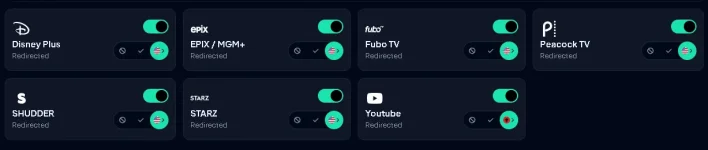
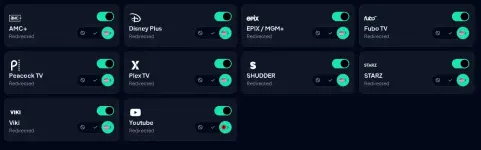
Redirected: United States
For Android
Manual Setup
Go to your phone settings
Search Private DNS
Tap on Private DNS
Choose DNS Provider Hostname and paste 3bcxsqnmbx.dns.controld.com
Auto Setup
Go to playstore search & Download Control D
open controlD app paste this resolver ID 3bcxsqnmbx tap configure done.
FOR IOS
Download CONTROLD App
use this resolver ID to configure
owrzttgf8d
For Windows
Automatic Setup
Download utility setup You do not have permission to view the full content of this post. Log in or register now.
Install ilagay ito sa Resolver ID: 1oot7qv389k
CHROME
Go to “Settings” in the top right button.
Click on “Privacy and Security”
Click on “Security”
Under “Advanced”, enable “Encrypt the names of sites you visit” . Select “Add custom DNS service provider” from the Select DNS Provider dropdown.
You do not have permission to view the full content of this post. Log in or register now.
NOTE:
Minsan nagkakaroon ng ADS sa youtube pero nawawala rin naman hintayin nyo lang
Meron rin po akong post tutorial para naman sa NextDnS Ready Setup na rin po lahat.
NextDnS For Education 11/24/24
Feedback nalang po kayo kung may problema para ma update po natin sana makatulong po sa inyo =)
UPDATED RESOLVER ADDED 09/08/2026
ControlD Ready Setup
Block ads Youtube/Apps/Browser/
Parental Control
Activated All recommended Filters
ads,trackers,malwares,phishing etc.
Redirected: United States
For Android
Manual Setup
Go to your phone settings
Search Private DNS
Tap on Private DNS
Choose DNS Provider Hostname and paste 3bcxsqnmbx.dns.controld.com
Auto Setup
Go to playstore search & Download Control D
open controlD app paste this resolver ID 3bcxsqnmbx tap configure done.
FOR IOS
Download CONTROLD App
use this resolver ID to configure
owrzttgf8d
For Windows
Automatic Setup
Download utility setup You do not have permission to view the full content of this post. Log in or register now.
Install ilagay ito sa Resolver ID: 1oot7qv389k
CHROME
Go to “Settings” in the top right button.
Click on “Privacy and Security”
Click on “Security”
Under “Advanced”, enable “Encrypt the names of sites you visit” . Select “Add custom DNS service provider” from the Select DNS Provider dropdown.
You do not have permission to view the full content of this post. Log in or register now.
NOTE:
Minsan nagkakaroon ng ADS sa youtube pero nawawala rin naman hintayin nyo lang
Meron rin po akong post tutorial para naman sa NextDnS Ready Setup na rin po lahat.
NextDnS For Education 11/24/24
Feedback nalang po kayo kung may problema para ma update po natin sana makatulong po sa inyo =)