PH
PH
TUTORIAL GUIDE ↓↓↓
1st : Install You do not have permission to view the full content of this post. Log in or register now.Extension From Chrome Web Store
2nd : Install QuillBot Premium Script
:You do not have permission to view the full content of this post. Log in or register now.
3rd : Go To You do not have permission to view the full content of this post. Log in or register now.
4th : MAKE ACCOUNT USING ANY EMAIL AND PASSWORD ( YOU CAN USE TEMPORARY EMAIL )
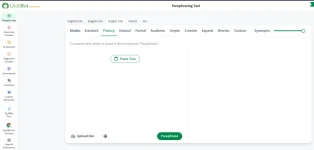
5th : REFRESH PAGE AND NOW YOU HAVE QUILLBOT PREMIUM ON YOUR ACCOUNT
REMEMBER!! THIS IS JUST ONLY ON YOUR BROWSER NOT ON YOUR EMAIL!!!
KAPAG MAY TANONG KA COMMENT KALANG SA BABA HIHI
Troubleshooting Guide ↓↓↓↓↓
Issue: Script Not Working for You
If the script is not working for you, try the following troubleshooting steps:
Step 1: Use Incognito Mode
Using incognito mode in your web browser can help identify if the issue is related to cached data or cookies. Follow these steps:
- Open your web browser.
- Press Ctrl+Shift+N (or Cmd+Shift+N on Mac) to open a new incognito window.
- Navigate to the page where you are experiencing the issue.
- Check if the code works correctly in incognito mode.
Step 2: Use a Different Account
If the issue persists even in incognito mode, try using a different user account (if available). This can help determine if the problem is specific to your account or settings. Follow these steps:
- Sign out from your current account.
- Sign in with a different account.
- Revisit the page and test the code again.
BASAHIN PO NG MAAGI.
Credit sa owner.