👨‍🏫 Tutorial Netflix Accounts for Free! use Makesense mobile Application to Sign In on Netflix!

phalris11

Honorary Poster
⬇️Download here 👉 You do not have permission to view the full content of this post. Log in or register now.

No more cookies needed!

How to Watch Netflix for free.

  • Install Makesense Application
  • Navigate to the Platforms tab.
  • Choose the Netflix Platform.
  • Select your Netflix account.
  • Copy the email address.
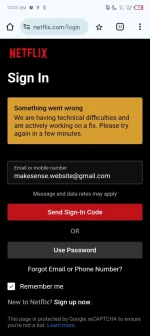
  • Go to the Netflix website.
  • Log in using the Sign-In Code.
  • Paste the copied email address.
  • Send the Sign-In Code.
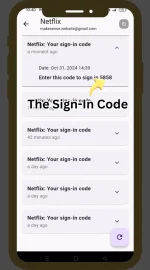
  • Refresh the displayed Sign-In code in the Makesense app.
  • Select the latest Sign-In code.
  • Get the 4-digit code.
  • Paste the 4-digit code on the Netflix website.
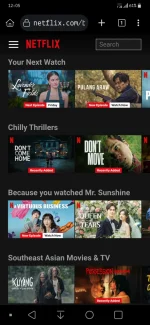
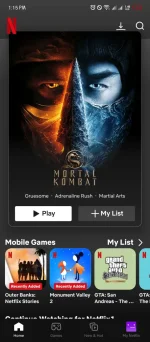
  • Sign In.
Video Tutorial Provided in their website.
1730423199163.png
 
ay mukhang hindi pde apk pala
Sa mobile device lang lods, peru kung gusto mo sya gamitin sa PC, install ka nang bluestack. Anyway pwede mag login nang Netflix sa Laptop, TV, Cellphone using this App.
Salamat ts by the way paano lagyan ng password tung email? 😁
View attachment 3197419
Di ko alam lods, kilangan kasi
nang password.
Legit lodi.. salamat..
pa try nito idol

Update: Working po TS. support here.

working po ty ts

Suporta tss

Salamat master!

Working sya!
Salamat sa feedback mga lods!
 

About this Thread

  • 213
    Replies
  • 5K
    Views
  • 101
    Participants
Last reply from:
phalris11

Trending Topics

Online now

Members online
651
Guests online
1,218
Total visitors
1,869

Forum statistics

Threads
2,288,521
Posts
29,052,182
Members
1,215,138
Latest member
beru_123456789
Back
Top