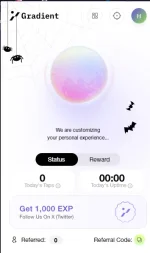
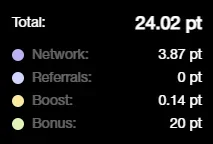
Sa mga nahuli sa Grass, try niyo to same lang din

The_Tsar23

Enthusiast
Gradient Network (Same as Grass: Enable Extension then hintay na lang sa TGE):
You do not have permission to view the full content of this post. Log in or register now.

Referral code (+20 points after 72hrs uptime)
C16C8I

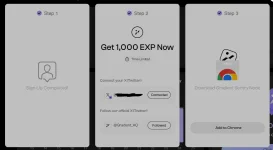
-Sign in using Google
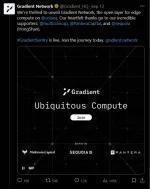
-Connect X account and Follow their account
-Install Chrome Extension (Chromium browsers pa lang pwede, e.g., Chrome, Kiwi, Brave)
1729832698220.png
1729832469701.png
 
Maghihintay lang ba to TS o need gawa task?
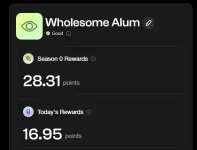
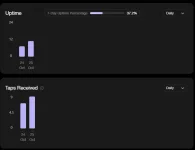
Same lang din sa Grass na maghintay. May mga Achievements lang para mag level up yung account mo para may kaunting boost sa node. Gawin mo muna to para may bonus kang 1,000 EXP. Yung mga ibang Achievements eh referral, taps, at uptime. Yung Taps at Uptime nakukuha pag active yung Node mo kaya hintayan lang
aaa.webp


1729871520959.webp

1729871553916.webp
 
Pwede din ata magmultiple Nodes basta different IP sila. Pag same kasi nahahati yung uptime points kung ilan nakaconnect na same IP
 

If you have 00:00 uptime issue today log out your account reboot your computer then log back in. It may still be disconnected but it will come back online. If you check “my nodes” section & you're getting points there’s no need for this.​

May problem ata sa Nodes today. If hindi daw nagdadagdag yung Uptime niyo, ito daw fix according sa support nila
 
Ganto lang lagi sakin , hindi nag mimina.

View attachment 3190056
try the following steps to reactivate your Sentry Node:
  1. Open Chrome Extensions Page: In your Google Chrome browser, type chrome://extensions into the address bar and press Enter.
  2. Turn Off the Gradient Sentry Node Extension: Locate the Gradient Sentry Node extension and toggle the switch off to disable it.
  3. Turn It Back On: After disabling it, toggle the switch on again to restart the extension.
Do monitor it for an hour.

May ongoing maintenance daw sa mga Nodes accdg sa DC server nila. Kahapon pa ata nagloloko eh, hindi nagrereflect yung totoong uptime ko sa'kin
 
try the following steps to reactivate your Sentry Node:
  1. Open Chrome Extensions Page: In your Google Chrome browser, type chrome://extensions into the address bar and press Enter.
  2. Turn Off the Gradient Sentry Node Extension: Locate the Gradient Sentry Node extension and toggle the switch off to disable it.
  3. Turn It Back On: After disabling it, toggle the switch on again to restart the extension.
Do monitor it for an hour.

May ongoing maintenance daw sa mga Nodes accdg sa DC server nila. Kahapon pa ata nagloloko eh, hindi nagrereflect yung totoong uptime ko sa'kin
ginawa ko na yan.. still ganun padin after 1hr
 

About this Thread

  • 15
    Replies
  • 1K
    Views
  • 5
    Participants
Last reply from:
Sarcasms

Online now

Members online
430
Guests online
1,216
Total visitors
1,646

Forum statistics

Threads
2,273,055
Posts
28,947,301
Members
1,236,563
Latest member
sashimii
Back
Top