 PH
PHOpen Menu Full Crcked No Need Reg SN Full Free, Support All Ipads/iPhone/iPod.
You do not have permission to view the full content of this post. Log in or register now.
Rar Pass: MegaUnlocker
Mirror Link
Rar Pass: MegaUnlocker
You do not have permission to view the full content of this post. Log in or register now.
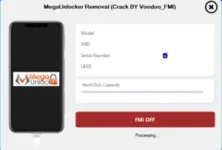
Change Logs :
- Added support for iOS 17.6.
- Added support for iOS 18.xx.
- SUPPORT iOS 10 to iOS 18xx
Features Info :
- No proxy required.
- No backup required (iTunes/3uTools).
- No Elcom required.
- If a password was added during the backup using 3uTools/iTunes, it must be removed manually.
- Works only on Open Menu devices.
- iCloud storage must be loaded.
- Game Center can be enabled and disabled without asking for the iCloud password.
- Before starting the process, ensure to:
- Delete all apps, photos, and videos.
- Delete unnecessary data under iCloud Storage (Manage Account Storage).
- Go to General > iPhone Storage and delete unnecessary data.
Step-by-Step: MEGA Unlocker Open Menu – One Click FMI OFF
Preparation Before starting, ensure the following:
- Your device is compatible.
- The device is connected to a stable Wi-Fi network.
Disable and Re-enable Game Center:
- Navigate to Settings on the device.
- Scroll down and tap on Game Center.
- Disable Game Center if it's already enabled by toggling the switch off.
- Wait for a few seconds, then Enable Game Center again by toggling the switch on.
Start the FMI OFF Process:
- Connect your iPhone to the computer using a compatible USB cable.
- Click on the FMI OFF option or “One Click FMI OFF” (as per your software UI).
Complete the Process within 5 Minutes:
- The entire process needs to be completed within 5 minutes.
- Ensure you monitor the timer. If it takes longer than 5 minutes, follow the steps below.
Delete Unnecessary Applications and Files If the process is not completed within the specified time :
- Delete all unnecessary applications, videos, and pictures from your device.
- After deleting these items, retry the process from step 1.
You do not have permission to view the full content of this post. Log in or register now.
Rar Pass: MegaUnlocker
Mirror Link
Rar Pass: MegaUnlocker
You do not have permission to view the full content of this post. Log in or register now.