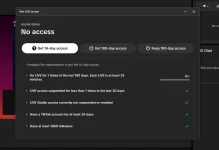
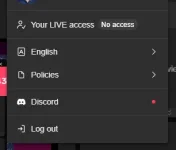
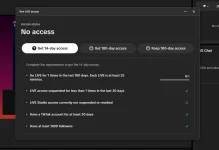
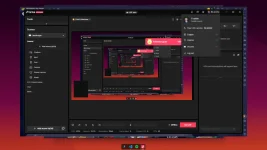
Hello! I understand your excitement to go live on TikTok using TikTok Live Studio on your PC. It can be frustrating when you encounter the "No Access" issue. Here are some possible solutions you can try:
1. Check Permissions:
- Make sure that your browser has the necessary permissions to access your camera and microphone. You can check this in your browser settings.
2. Clear Browser Cache:
- Clearing your browser cache and cookies can sometimes resolve access issues. Try clearing your browser's cache and then reloading the TikTok Live Studio page.
3. Use Supported Browsers:
- Ensure you are using a supported browser for TikTok Live Studio, such as Google Chrome or Mozilla Firefox. Sometimes, certain browsers can have compatibility issues.
4. Update Browser and Drivers:
- Make sure your browser is up to date with the latest version. Also, check if your camera and microphone drivers are updated.
5. Check Antivirus/Firewall Settings:
- Your antivirus or firewall settings could be blocking access to your camera and microphone. Temporarily disable them and see if that resolves the issue.
6. Try Incognito Mode:
- Sometimes browser extensions or settings can interfere with camera and microphone access. Try using the Incognito mode in your browser to see if it works.
7. Restart Your PC:
- Sometimes a simple restart can resolve technical issues. Try restarting your PC and then accessing TikTok Live Studio again.
8. Contact TikTok Support:
- If none of the above solutions work, you can reach out to TikTok support for further assistance. They may be able to provide specific troubleshooting steps based on your account and settings.
I hope one of these solutions helps you resolve the "No Access" issue and allows you to go live on TikTok using TikTok Live Studio on your PC. Good luck! Let me know if you need further assistance.
 PH
PH