 PH
PHRosetta Stone Language Courses: Learn 1 of 30 languages for free
Desktop and Mobile (Android / iOS)

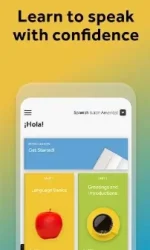
Instructions On desktop
1. Click get deal link on desktop
You do not have permission to view the full content of this post. Log in or register now.
2. Enter your email address, choose a password and choose which language you want to learn and register/login.
3. Click on “Rosetta Stone Foundations” and you should now have your free course.
You get unlimited access, there's no duration, and you don't have to specify a payment method.
Instructions on app
1. Install app
3. Create account and log out
4. Visit promotion page
You do not have permission to view the full content of this post. Log in or register now.
5. Login and select language
6. Log out from promotion page
7. Log out from app
8. Login to app (use your own personal email and login details)
9. Enter code "s8476284" in the work area
10. You should not have access to the full language course
Desktop and Mobile (Android / iOS)
Instructions On desktop
1. Click get deal link on desktop
You do not have permission to view the full content of this post. Log in or register now.
2. Enter your email address, choose a password and choose which language you want to learn and register/login.
3. Click on “Rosetta Stone Foundations” and you should now have your free course.
You get unlimited access, there's no duration, and you don't have to specify a payment method.
Instructions on app
1. Install app
- Google play
You do not have permission to view the full content of this post. Log in or register now.
- iOS
You do not have permission to view the full content of this post. Log in or register now.
3. Create account and log out
4. Visit promotion page
You do not have permission to view the full content of this post. Log in or register now.
5. Login and select language
6. Log out from promotion page
7. Log out from app
8. Login to app (use your own personal email and login details)
9. Enter code "s8476284" in the work area
10. You should not have access to the full language course
