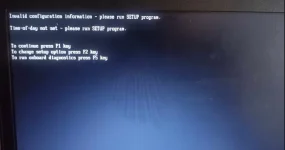
Hello! I understand your frustration with your laptop constantly booting in a loop. This issue can be caused by a variety of factors including software glitches, corrupted files, or even hardware problems. Here are some troubleshooting steps you can try to resolve the issue:
1. Safe Mode: Try booting your laptop into Safe Mode. To do this, restart your laptop and press F8 repeatedly as it boots up. From there, you can try to uninstall any recently installed software or drivers that may be causing the issue.
2. System Restore: If you have access to System Restore, you can try restoring your laptop to a previous point where it was working fine. This can help revert any recent changes that may have caused the boot loop.
3. Check Disk (chkdsk): You can run a disk check to identify and fix any disk errors that may be causing the boot loop. To do this, you can boot from a Windows installation disc or USB drive and access the Command Prompt to run the chkdsk command.
4. BIOS Settings: Check your BIOS settings to ensure that the boot order is correct and that the hard drive is being detected properly. Sometimes incorrect BIOS settings can cause booting issues.
5. Recovery/Reinstall: If none of the above methods work, you may need to consider performing a system recovery or reinstalling Windows. This will erase all your data, so make sure to back up any important files before proceeding.
If you have tried all these steps and the issue persists, it's possible that there may be a hardware problem such as a failing hard drive or RAM. In this case, it's best to seek professional help to diagnose and fix the issue.
I hope these suggestions help you resolve the boot loop issue on your laptop. Let me know if you have any questions or need further assistance!
 PH
PH