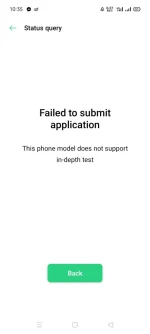
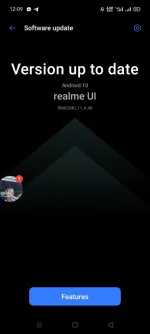
Hello! It seems like you're having trouble unlocking the bootloader of your Realme 6i RMX2040 and encountering a failed deep test. Here are a few suggestions you can try to troubleshoot the issue:
1. Check the USB Cable and Port: Make sure you are using a good quality USB cable and connecting it to a working USB port on your computer.
2. Enable USB Debugging: Go to Settings > About Phone > Tap on Build Number 7 times to enable Developer Options > Go back to Settings > Developer Options > Enable USB Debugging.
3. Install ADB and Fastboot: Make sure you have ADB and Fastboot installed on your computer. You can download the Android SDK platform tools package, which includes ADB and Fastboot, from the official Android developer website.
4. Use Original Manufacturer's Cable: Sometimes using a different USB cable can cause connection issues. Try using the original cable that came with your Realme 6i.
5. Check Driver Installation: Ensure that the necessary drivers are installed on your computer for your Realme 6i. You can download and install the official USB drivers from Realme's website.
6. Try Another Computer: If the issue persists, try using a different computer to perform the bootloader unlocking process.
If you have tried all of these steps and are still facing issues, it might be helpful to reach out to Realme customer support for further assistance. Unlocking the bootloader of a device can be a sensitive process, so it's essential to follow the correct steps to avoid any potential problems.
 PH
PH