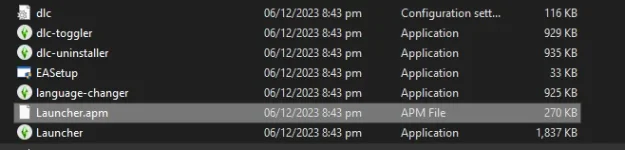
Hello! It seems like you're encountering an issue with running the EASetup file after extracting the Sims 4 game files. Here are some troubleshooting steps you can try:
1. Run as Administrator: Right-click on the EASetup file and select "Run as administrator." This can sometimes help with permission issues that may be preventing the setup from running properly.
2. Compatibility Mode: Try running the EASetup file in compatibility mode. Right-click on the file, select "Properties," go to the "Compatibility" tab, and check the box for "Run this program in compatibility mode for:" Choose a previous version of Windows and click "Apply" before trying to run the setup again.
3. Check System Requirements: Make sure your laptop meets the minimum system requirements to run The Sims 4. This includes having the necessary operating system, processor, RAM, and graphics card. If your system doesn't meet these requirements, the setup might fail to run correctly.
4. Disable Antivirus: Sometimes, antivirus software can interfere with the installation process. Temporarily disable your antivirus program while running the setup to see if that resolves the issue.
5. Re-download the Game: If none of the above steps work, try re-downloading the game files in case there was an issue with the initial download or extraction process.
If you continue to experience difficulties with the installation, feel free to provide more details, and we can offer further assistance. Good luck!
 PH
PH