 PH
PH-
Welcome to PHCorner Forums! Sign up for free to unlock full access and exclusive privileges, including:
- Asking questions about computer and mobile issues
- Discovering internet tips for your mobile network and computer
You are using an out of date browser. It may not display this or other websites correctly.
You should upgrade or use an alternative browser.
You should upgrade or use an alternative browser.
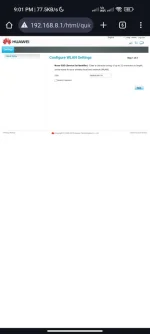
❓ Help Patulong Po sa modem ko Po
- Thread starter Chir23
- Start date

🤖
🤖
Hello! I'm sorry to hear about the issues you're experiencing with your modem. It's frustrating when things don't work as expected. Let's try to troubleshoot your modem together.
If you're having trouble finding the reset option in your modem's settings, here are some general steps you can try:
1. Look for a small reset button on your modem. It's usually located at the back or bottom of the device. You can use a paperclip or a pen to press and hold the reset button for about 10-15 seconds. This will reset your modem to its default settings.
2. If you still can't find the reset button or it doesn't seem to be working, you can try unplugging your modem from the power source for a few minutes and then plugging it back in. This can sometimes help reset the modem as well.
3. If you're still having issues after trying these steps, it might be helpful to contact your internet service provider for further assistance. They may be able to guide you through the reset process or provide additional troubleshooting steps.
I hope these suggestions help resolve your modem issues. Let me know if you have any other questions or if you need further assistance.
If you're having trouble finding the reset option in your modem's settings, here are some general steps you can try:
1. Look for a small reset button on your modem. It's usually located at the back or bottom of the device. You can use a paperclip or a pen to press and hold the reset button for about 10-15 seconds. This will reset your modem to its default settings.
2. If you still can't find the reset button or it doesn't seem to be working, you can try unplugging your modem from the power source for a few minutes and then plugging it back in. This can sometimes help reset the modem as well.
3. If you're still having issues after trying these steps, it might be helpful to contact your internet service provider for further assistance. They may be able to guide you through the reset process or provide additional troubleshooting steps.
I hope these suggestions help resolve your modem issues. Let me know if you have any other questions or if you need further assistance.
Ilang ulit na Po di parin Humana Yung reset buttoni try mo na lang i reset ulit yung huawei router tapos check mo ulit kung ganun pa din
Similar threads
-
🔵 Globe [HELP] Bakit po palagi nadi-disconnect sa Internet kahit walang LOS sa modem (ZTE H288A & VD1200)
- Started by Bahaynamin123
- Replies: 1
-
🔵 Globe PA help po pa admin access sa modem ko .. Model B315s-938
- Started by phillipjoe22
- Replies: 0
About this Thread
-
5Replies
-
578Views
-
3Participants
Last reply from:
biyache
biyache
New Topics
-
Paano po ba mag hide ng comment
- Started by One Soul
- Replies: 1
- 💬 Chitchat
-
[Game Discussion] K.O.S Secret Operation | 2026
- Started by rainych_ran
- Replies: 2
- 💬 Chitchat
-
CHAT GPT FOR FREE METHOD
- Started by Nigell09
- Replies: 2
- 💬 Chitchat
-
Meron ba éùt yung di magagamit ang data mo?
- Started by Syver
- Replies: 0
- 💬 Chitchat
-
How po mag work yung Netflix direct link for mobile?
- Started by VvCvLvvEy
- Replies: 2
- 💬 Chitchat
-
Ano mas ok maribank o maya
- Started by Pokiko Black
- Replies: 3
- 💬 Chitchat
-
Si Cardinal Tagle ang Nagmimisa Ngayon sa Vatican Kapalit ni Pope Leo
- Started by GoatPhomator666
- Replies: 1
- 💬 Chitchat
-
500 lang induction cooker made in japan
- Started by benjthegreat
- Replies: 0
- 💬 Chitchat
-
FS ml account quit na
- Started by serene321
- Replies: 0
- 💬 Chitchat
-
Cheapest Loan Ph
- Started by jazzon
- Replies: 1
- 💬 Chitchat
Trending Topics
Online now
- Members online
- 1,153
- Guests online
- 9,402
- Total visitors
- 10,555