PH
PHFreeNetNeed
Elite
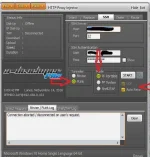
How to use: see pict.
Click file import
follow the red arrows
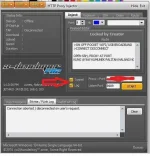

How to use:
1. Download file, click file sa application na mismo ng eproxy
2. Click open, then look for the directory kung saan mo na save yung .epro file
3. choose from 2 option bitvise or plink, click ide log sa view kung gusto makita status
4. Lastly start
Click file import
follow the red arrows
How to use:
1. Download file, click file sa application na mismo ng eproxy
2. Click open, then look for the directory kung saan mo na save yung .epro file
3. choose from 2 option bitvise or plink, click ide log sa view kung gusto makita status
4. Lastly start