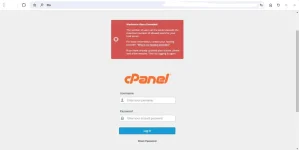
It seems like you are experiencing a problem when trying to access the control panel of your website hosted on freehostingph.com. Can you provide more details about the issue you are facing?
Common issues when accessing a control panel can include incorrect login credentials, server errors, or maintenance activities on the hosting provider's end.
Here are a few steps you can take to troubleshoot the problem:
1. Double-check your login credentials: Ensure that you are using the correct username and password to access the control panel. Sometimes, incorrect login details can prevent you from logging in.
2. Clear your browser cache: Sometimes, stored cache data in your browser can cause issues when accessing websites. Try clearing your browser cache and cookies before attempting to access the control panel again.
3. Check for any server notifications: Visit the hosting provider's website or social media channels to see if there are any ongoing server issues or maintenance activities that could be causing the problem.
4. Contact customer support: If you have tried the above steps and are still unable to access the control panel, it's best to reach out to the customer support team of freehostingph.com for further assistance. They should be able to help you resolve the issue or provide more information about what might be causing the problem.
Feel free to provide more details about the specific issue you are facing, and I'll do my best to assist you further.
 PH
PH