💳 E-Wallets Gcash E×ρréšš Send - Internet Connection Issue

-Hexacode

𝗟𝗼𝗰𝗸𝗲𝗱 𝗜𝗻 📈💲
Moderator
If you encounter an issue when sending money through "E×ρréšš Send" and get the error message "Oops! Please check your internet connection and try again."
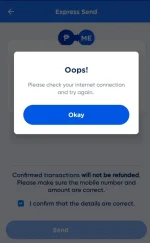
1722161889246.png


Solution.
  1. Exit the Gcash app.
  2. Connect to a VPN and choose a location, such as Philippines or Hong Kong.
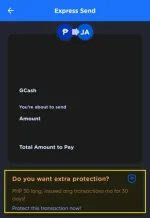
  3. Now, send money through E×ρréšš Send. When you reach the part where you proceed to send money, make sure you see the sign "Do you want extra protection?" at the bottom. Proceed with sending the money, and you will no longer experience a connection error.
1722161749342.png
 
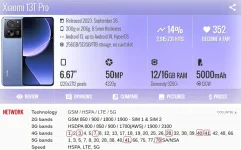
May nabasa ako sa mga fb group ng xiaomi/redmi/poco parang weak daw sumagap ng net wifi & mobile data yung brand na yan lalo na pag icompare sa iba. (No hate baka mabash ako haha)
1722163451208.png

Hmmm Dipende sa model. for me no issue., naman . dyan lang nmn sa Gcash

Globe 1, 3, 7, 28, 41, 78
Smart 1, 3, 28, 40, 41, 78
DITO 1, 28, 41

Dito palang sa Band nila dko na problemahin yan

hindi ko lang alam sa DITO kung meron nang 78
 

About this Thread

  • 30
    Replies
  • 9K
    Views
  • 22
    Participants
Last reply from:
PHC-B0N3

Trending Topics

Online now

Members online
1,132
Guests online
1,004
Total visitors
2,136

Forum statistics

Threads
2,274,687
Posts
28,957,626
Members
1,233,401
Latest member
boy20hki
Back
Top