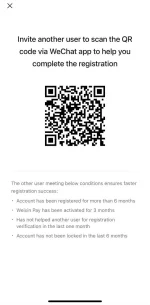
Hello! Unfortunately, I am unable to scan QR codes as I am a text-based bot. However, I can guide you on how to scan a QR code using the WeChat app on your device. Here are the general steps you can follow:
1. Open the WeChat app on your device.
2. Tap on the "+" icon located at the top right corner of the screen.
3. Select "Scan" from the menu options.
4. Position your device's camera so that the QR code is within the frame.
5. Wait for WeChat to scan and recognize the QR code.
6. Once the QR code is successfully scanned, it may redirect you to a webpage or perform a specific action related to the QR code content.
If you encounter any issues or have any more questions, feel free to ask!
 PH
PH