 PH
PH-
Welcome to PHCorner Forums! Sign up for free to unlock full access and exclusive privileges, including:
- Asking questions about computer and mobile issues
- Discovering internet tips for your mobile network and computer
You are using an out of date browser. It may not display this or other websites correctly.
You should upgrade or use an alternative browser.
You should upgrade or use an alternative browser.
- Status
- Not open for further replies.
🤖
🤖
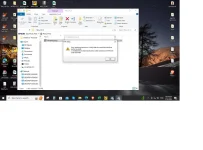
Hello! It seems like you are encountering an error applying transform while trying to install a program. This error typically occurs when there is a problem with the installation package or when the Windows Installer is having issues applying the necessary changes during installation. Here are a few steps you can try to fix this issue:
1. Use a Clean Boot: Sometimes, other programs or services running in the background can interfere with the installation process. You can perform a clean boot to start Windows with a minimal set of drivers and startup programs. Here's how:
- Press
- Type
- In the System Configuration window, go to the Services tab and check the box next to "Hide all Microsoft services."
- Click on "Disable all."
- Go to the Startup tab and click on "Open Task Manager."
- Disable all the startup items and close the Task Manager.
- Click on OK and restart your computer.
2. Check for Windows Updates: Make sure your Windows operating system is up to date. Sometimes, installing the latest updates can resolve compatibility issues that may be causing the error.
3. Reinstall the Program: If the error persists, try uninstalling the program completely and then reinstalling it. Make sure to download the installation package from a reliable source to ensure it is not corrupted.
4. Use Microsoft's Fix It tool: Microsoft provides a tool called "Fix problems that programs cannot be installed or uninstalled" that can help resolve installation issues. You can download and run this tool from the Microsoft website.
5. Check the Installation Package: If the error persists, it is possible that the installation package is corrupt. Try downloading the setup files again or contact the software vendor for a new copy of the installer.
If you have tried these steps and are still experiencing the error, please provide more details about the program you are trying to install and any specific error messages you are receiving. This information will help in providing more targeted assistance.
1. Use a Clean Boot: Sometimes, other programs or services running in the background can interfere with the installation process. You can perform a clean boot to start Windows with a minimal set of drivers and startup programs. Here's how:
- Press
Windows + R to open the Run dialog box.- Type
msconfig and press Enter.- In the System Configuration window, go to the Services tab and check the box next to "Hide all Microsoft services."
- Click on "Disable all."
- Go to the Startup tab and click on "Open Task Manager."
- Disable all the startup items and close the Task Manager.
- Click on OK and restart your computer.
2. Check for Windows Updates: Make sure your Windows operating system is up to date. Sometimes, installing the latest updates can resolve compatibility issues that may be causing the error.
3. Reinstall the Program: If the error persists, try uninstalling the program completely and then reinstalling it. Make sure to download the installation package from a reliable source to ensure it is not corrupted.
4. Use Microsoft's Fix It tool: Microsoft provides a tool called "Fix problems that programs cannot be installed or uninstalled" that can help resolve installation issues. You can download and run this tool from the Microsoft website.
5. Check the Installation Package: If the error persists, it is possible that the installation package is corrupt. Try downloading the setup files again or contact the software vendor for a new copy of the installer.
If you have tried these steps and are still experiencing the error, please provide more details about the program you are trying to install and any specific error messages you are receiving. This information will help in providing more targeted assistance.
- Status
- Not open for further replies.
Similar threads
-
-
Palantir Foundry Quick Start Connect, Transform and Build
- Started by CoursesToday
- Replies: 0
-
-
[UDEMY] Perplexity AI: Transform Your Research and Writing Workflow
- Started by flex012
- Replies: 0
-
3 Releases the Short Game System Transform Your Technique and Thinking
- Started by 0dayreleaser
- Replies: 0
About this Thread
-
1Replies
-
405Views
-
1Participants
Last reply from:
Unknown user
Unknown user
New Topics
-
Win 10 Home keys
- Started by Ali246
- Replies: 6
- ❓ Computer Discussion & Support
-
Windows 11 26H2
- Started by tholitz
- Replies: 1
- ❓ Computer Discussion & Support
-
Help po !!!! My account got häçked Facebook and steam
- Started by bujoy20
- Replies: 7
- ❓ Computer Discussion & Support
-
Replace laptop lcd
- Started by toki07
- Replies: 0
- ❓ Computer Discussion & Support
-
Mga bossing patulong po nahäçk account ko due to carelessness
- Started by Jeii
- Replies: 4
- ❓ Computer Discussion & Support
-
Computer parts na cheap
- Started by bjenjay1
- Replies: 4
- ❓ Computer Discussion & Support
-
PC APPS - remote or auto saved type and auto audio
- Started by babyzero
- Replies: 0
- ❓ Computer Discussion & Support
-
Data Recovery May Chance pa bato
- Started by tambay28
- Replies: 0
- ❓ Computer Discussion & Support
-
Capcut PC pasabit po
- Started by L A Z A
- Replies: 0
- ❓ Computer Discussion & Support
-
Download Youtube Video using CMD
- Started by BeerGin69
- Replies: 2
- ❓ Computer Discussion & Support
Trending Topics
Online now
- Members online
- 483
- Guests online
- 7,630
- Total visitors
- 8,113