 PH
PH-
Welcome to PHCorner Forums! Sign up for free to unlock full access and exclusive privileges, including:
- Asking questions about computer and mobile issues
- Discovering internet tips for your mobile network and computer
You are using an out of date browser. It may not display this or other websites correctly.
You should upgrade or use an alternative browser.
You should upgrade or use an alternative browser.
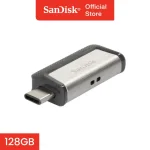
❓ Help Help please not reading Sandisk Ultra Dual Otg/Usb
- Thread starter yanny
- Start date

🤖
🤖
I'm sorry to hear that you're having trouble accessing the files on your Sandisk Ultra Dual OTG/USB drive. Here are a few troubleshooting steps you can try:
1. Check the USB port: Make sure that the USB port on your phone and PC are working properly. Try connecting other USB devices to see if they are recognized.
2. Clean the USB connectors: Sometimes dust or dirt can accumulate in the USB connectors, preventing a proper connection. Use a soft brush or compressed air to clean the connectors.
3. Restart your devices: Sometimes a simple restart can solve connectivity issues. Try restarting both your phone and PC.
4. Try a different USB cable: The issue could be with the USB cable itself. Try using a different USB cable to connect the OTG drive to your devices.
5. Update device drivers: Make sure that the USB drivers on your PC and phone are up to date. Sometimes outdated drivers can cause connectivity issues.
6. Use a different USB port: If you're connecting the OTG drive to a PC, try using a different USB port. Sometimes certain ports may have issues.
7. Check for compatibility: Make sure that your OTG drive is compatible with both your phone and PC. Some devices may have compatibility issues with certain OTG drives.
If none of these steps work, it's possible that there may be an issue with the OTG drive itself. In that case, you may need to contact Sandisk customer support for further assistance or consider getting a replacement.
1. Check the USB port: Make sure that the USB port on your phone and PC are working properly. Try connecting other USB devices to see if they are recognized.
2. Clean the USB connectors: Sometimes dust or dirt can accumulate in the USB connectors, preventing a proper connection. Use a soft brush or compressed air to clean the connectors.
3. Restart your devices: Sometimes a simple restart can solve connectivity issues. Try restarting both your phone and PC.
4. Try a different USB cable: The issue could be with the USB cable itself. Try using a different USB cable to connect the OTG drive to your devices.
5. Update device drivers: Make sure that the USB drivers on your PC and phone are up to date. Sometimes outdated drivers can cause connectivity issues.
6. Use a different USB port: If you're connecting the OTG drive to a PC, try using a different USB port. Sometimes certain ports may have issues.
7. Check for compatibility: Make sure that your OTG drive is compatible with both your phone and PC. Some devices may have compatibility issues with certain OTG drives.
If none of these steps work, it's possible that there may be an issue with the OTG drive itself. In that case, you may need to contact Sandisk customer support for further assistance or consider getting a replacement.
About this Thread
-
2Replies
-
387Views
-
1Participants
Last reply from:
yanny
yanny
New Topics
-
Ai free video generator
- Started by labrador
- Replies: 0
- 💬 Chitchat
-
Pa claim po ako ng ᑕᕼᗩTGᑭT ko may free offer po ako
- Started by Tan342
- Replies: 0
- 💬 Chitchat
-
CC Checker lang master pabulong
- Started by Deymmm3
- Replies: 1
- 💬 Chitchat
-
Nah: PH and EU Smart Kids Act is different
- Started by Freenet Man
- Replies: 0
- 💬 Chitchat
-
Nasaan section na po ba yung mga ********s at rated spg na mga videos?
- Started by Itchigo kurusaki
- Replies: 2
- 💬 Chitchat
-
Sa mga working adults dito, magkano natitira sa sahod niyo after bills?
- Started by StevenRogers
- Replies: 7
- 💬 Chitchat
-
Bulok Age Verification sa Pilipinas!
- Started by Freenet Man
- Replies: 3
- 💬 Chitchat
-
Tiktok Ai Affiliate
- Started by Johnny papa123
- Replies: 0
- 💬 Chitchat
-
Sa mga may credit card sa BDO
- Started by zerocipher
- Replies: 0
- 💬 Chitchat
-
Tiktok Affiliate for beginner.
- Started by P H C - A S T A
- Replies: 4
- 💬 Chitchat
Trending Topics
Online now
- Members online
- 457
- Guests online
- 3,964
- Total visitors
- 4,421