 PH
PH| Operating System Edition | Product Key |
| Windows 11 Pro Windows 10 Pro | W269N-WFGWX-YVC9B-4J6C9-T83GX |
| Windows 11 Pro Education Windows 10 Pro Education | 6TP4R-GNPTD-KYYHQ-7B7DP-J447Y |
| Windows 11 Enterprise Windows 10 Enterprise | NPPR9-FWDCX-D2C8J-H872K-2YT43 |
Step 1: Open Command Prompt as "Administrator". & Select the product key that you want to activate.
Step 2: Sundin mo lang lahat ng cmd commands below. 1v1 na pag lagay yan hindi lahat sabay.
slmgr /ipk <paste your product key here>
slmgr /skms kms8.msguides.com
slmgr /ato
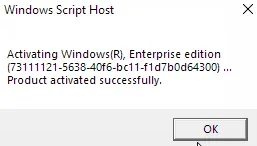
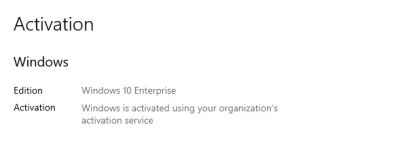
Note: after slmgr /ato hintaying mong may lumabas na windows script host confirming na activated na ang windows.
It should look like this:
Feedback nalang if gumana or hindi try ko kayong i-assist.



 ...
...