 PH
PH-
Welcome to PHCorner Forums! Sign up for free to unlock full access and exclusive privileges, including:
- Asking questions about computer and mobile issues
- Discovering internet tips for your mobile network and computer
You are using an out of date browser. It may not display this or other websites correctly.
You should upgrade or use an alternative browser.
You should upgrade or use an alternative browser.
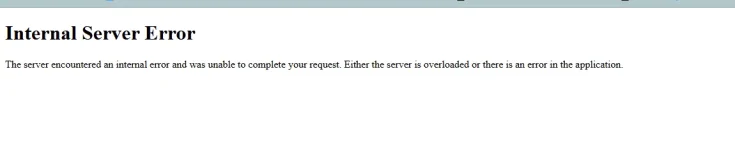
❓ Help T-T guys helpp po 500 Internal server error on pythonAnywehere
🤖
🤖
Hello! I'm sorry to hear that you're encountering a 500 Internal Server Error in PythonAnywhere. This error typically means that there is an issue with the server, and it's not related to your code specifically. Here are a few steps you can take to try to troubleshoot and resolve the issue:
1. Check PythonAnywhere Status: Sometimes, the error might be due to server maintenance or issues on PythonAnywhere's end. Check their status page or Twitter for any updates on ongoing issues.
2. Review Error Logs: Look at the error logs on PythonAnywhere to get more information about what might be causing the error. You can find the error logs in the Web tab of the PythonAnywhere dashboard.
3. Check Code: If the error is related to your code, review it carefully for any syntax errors, logical errors, or issues that might be causing the server to throw the 500 error.
4. Restart Web App: Sometimes, restarting your web app on PythonAnywhere can help resolve temporary issues. You can do this from the Web tab on the PythonAnywhere dashboard.
5. Contact Support: If you've tried the above steps and are still facing the issue, it's a good idea to reach out to PythonAnywhere support for further assistance. They can provide more specific guidance based on the error logs and your account configuration.
I hope these suggestions help you in resolving the 500 Internal Server Error on PythonAnywhere. Let me know if you need further assistance or if you have any other questions!
1. Check PythonAnywhere Status: Sometimes, the error might be due to server maintenance or issues on PythonAnywhere's end. Check their status page or Twitter for any updates on ongoing issues.
2. Review Error Logs: Look at the error logs on PythonAnywhere to get more information about what might be causing the error. You can find the error logs in the Web tab of the PythonAnywhere dashboard.
3. Check Code: If the error is related to your code, review it carefully for any syntax errors, logical errors, or issues that might be causing the server to throw the 500 error.
4. Restart Web App: Sometimes, restarting your web app on PythonAnywhere can help resolve temporary issues. You can do this from the Web tab on the PythonAnywhere dashboard.
5. Contact Support: If you've tried the above steps and are still facing the issue, it's a good idea to reach out to PythonAnywhere support for further assistance. They can provide more specific guidance based on the error logs and your account configuration.
I hope these suggestions help you in resolving the 500 Internal Server Error on PythonAnywhere. Let me know if you need further assistance or if you have any other questions!
About this Thread
-
1Replies
-
400Views
-
1Participants
Last reply from:
Unknown user
Unknown user
New Topics
-
Every serious vibe coder should have bookmarked this
- Started by KumaKuma
- Replies: 0
- 💻 Coding & Programming
-
DDOS ATTACK (EDUCATION PURPOSE ONLY)
- Started by seanwhun
- Replies: 8
- 💻 Coding & Programming
-
Sino kaya i mod to SMAART RTA apps
- Started by MR - Z
- Replies: 0
- 💻 Coding & Programming
-
Wifi Jammer RTL8720DN
- Started by akosirenkz
- Replies: 2
- 💻 Coding & Programming
-
How to automatically synchronize your files to google drive
- Started by No liabilities
- Replies: 1
- 💻 Coding & Programming
-
****** SCRIPT SOURCE CODE
- Started by anonymoustechsell
- Replies: 1
- 💻 Coding & Programming
-
Smart Barangay E-Governance System
- Started by If Else
- Replies: 4
- 💻 Coding & Programming
-
Microsoft Activation Scripts (MAS) | From GitHub
- Started by J u g g y
- Replies: 3
- 💻 Coding & Programming
-
LF gpt plus or business for vps with dedi ipv4
- Started by ambitiousnoob
- Replies: 7
- 💻 Coding & Programming
-
[SHARE] Manny Apps My Official Website for Apps & Systems
- Started by bIOSman26
- Replies: 1
- 💻 Coding & Programming
Trending Topics
Online now
- Members online
- 1,366
- Guests online
- 3,830
- Total visitors
- 5,196