 PH
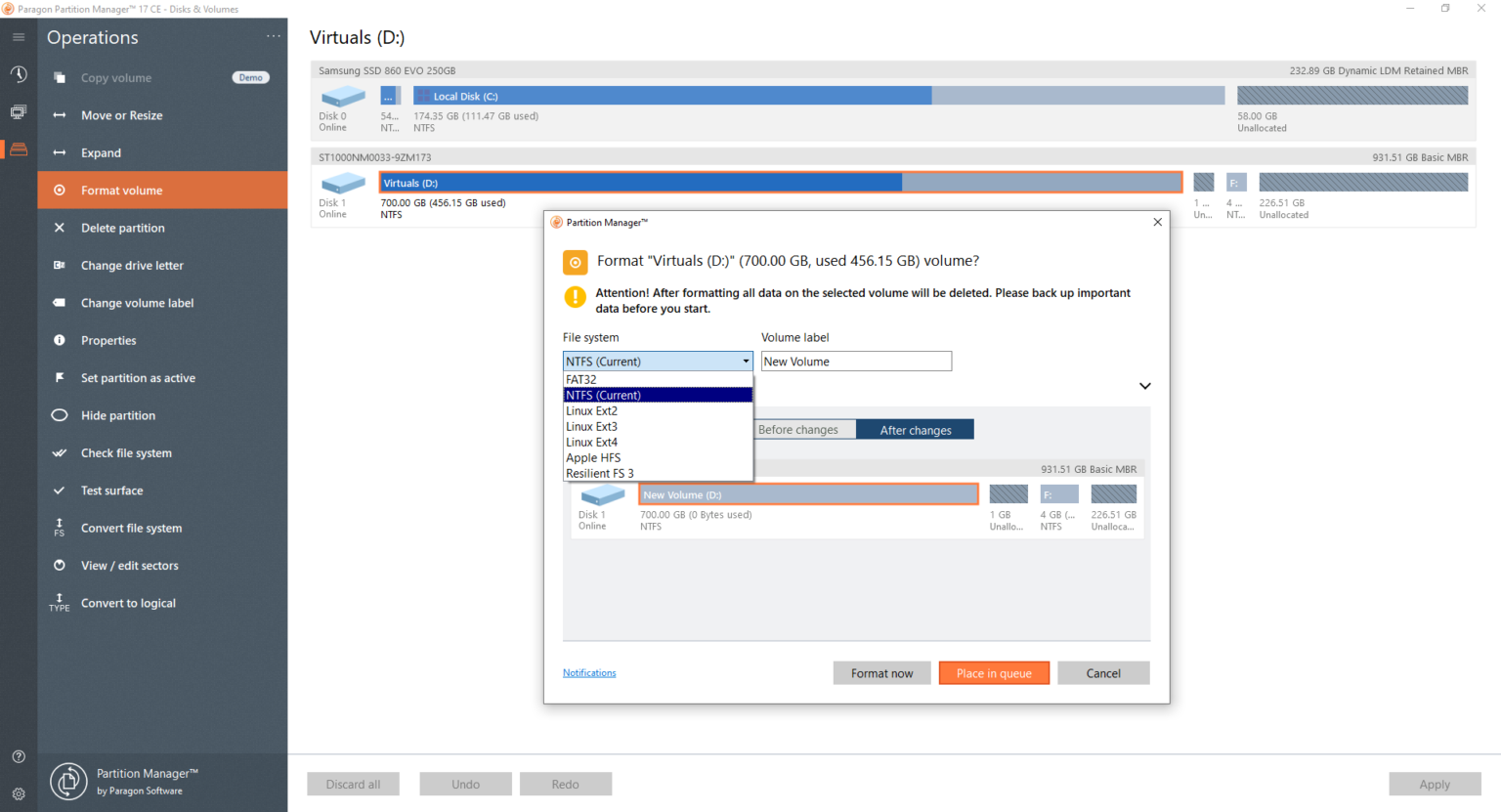
PHWith Paragon Partition Manager, your task to partition disk would be easy and straightforward. Keep in mind that partitioning task isn’t an easy feat. It means that this task isn’t for beginner users or unprofessional people. To prevent mistakes and avoid errors, helpful tools are designed and created. And this is when this tool is viewed handy. So, what can you do with it?
What is Paragon Partition Manager, anyway? It’s a tool that can help you resize, create, delete, and reformat the (hard disk) partitions easily. The system can run automatically, but it has some learning curves. Not to mention that you need some time to really get the hang of it.
What do you like about this tool anyway?
You do not have permission to view the full content of this post. Log in or register now.
What is Paragon Partition Manager, anyway? It’s a tool that can help you resize, create, delete, and reformat the (hard disk) partitions easily. The system can run automatically, but it has some learning curves. Not to mention that you need some time to really get the hang of it.
Paragon Partition Manager Features
What do you like about this tool anyway?
- It’s automated. Well, mostly. The tool works by scanning your disks so it can ‘identify’ any available free space and the already existing partitions. Just check your basic options and let the tool do its charm on its own.
- Mac support. The tool has its own built-in conversion wizard (the NTSF/HFS type). Thanks to it, Windows-based disks can be accessible on Macs, and vice versa.
- It’s completely free. The freeware may offer limited features, but it’s free. You don’t have to pay anything to be able to use it.
- The documentation is complicated. The algorithm itself is complicated. But the documentation, which is supposed to explain the algorithm, isn’t less confusing either.
- It has very limited control. The option for the partition are quite limited, so users like you won’t have full control. You can’t enjoy full control, either. Advanced users may feel that this tool is very limited in its features, as they don’t have enough.
- The potential of chaos is pretty big for inexperienced users or beginners. The possibility of wiping the wrong partition is quite big. This is why you should always backup your disk.
Paragon Partition Manager Pro Free Download
Never underestimate the task of managing and partitioning disk drives. Such a thing requires detailed attention and complete care. For experienced and advanced users, they may want more control and flexibility. Rest assured that Paragon Partition Manager can give you what you want without you having to pay anything. You can click the link below to download Paragon Partition Manager Pro for Windows:You do not have permission to view the full content of this post. Log in or register now.