Hello! I see that you are having trouble with your piso wifi. It's important to troubleshoot the issue step by step to identify and fix the problem. Here are some steps you can take:
1. Check the power source: Make sure that the piso wifi machine is properly plugged in and receiving power. Check the power outlet and the power cord for any issues.
2. Restart the machine: Sometimes a simple restart can fix minor issues. Turn off the piso wifi machine, wait for a few seconds, and then turn it back on.
3. Check the connections: Ensure that all cables are properly connected to the machine and the internet source. Make sure there are no loose connections or damaged cables.
4. Reset the machine: If restarting doesn't work, you can try resetting the piso wifi machine to its factory settings. Refer to the user manual for instructions on how to reset the device.
5. Contact customer support: If the issue persists, it's best to reach out to the manufacturer's customer support for further assistance. They may be able to provide you with specific troubleshooting steps or arrange for a repair if needed.
I hope these steps help you resolve the issue with your piso wifi. Good luck!
 PH
PH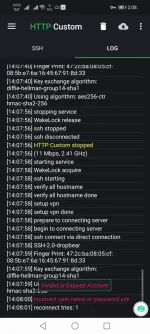
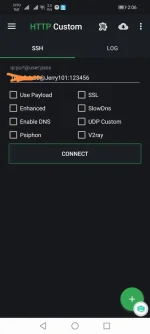 kunting Kimbot nlng sana eh . Paanu kaya to kalikutin. Sana mapansin .hehe.