PH
PHYou do not have permission to view the full content of this post.
Log in or register now.
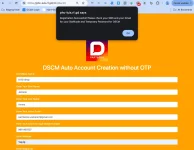
DSCM Auto Creation Account no need Government ID and OTP
Just Enter your Omni Shop or your Retailer Shop Name
Enter Your Name and Last Name
Enter your Active Gmail and Phone Number(Any Sim Smart or Globe, TM, TNT, or DITO basta Active Number basta hindi pa nareregister ang Number sa DSCM.)
Enter Your Address
Enter Your Region ID: I suggest to enter this Region 117523
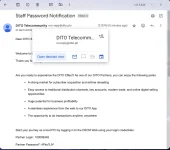
Then Submit, you can recieve an SMS from DITO and you will recieve an Email with your Staffcode and Temporary Password that you can Log-In on DSCM App or Via WebYou do not have permission to view the full content of this post. Log in or register now.
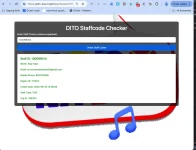
You can check here if your Staffcode is Activated click this link : You do not have permission to view the full content of this post.
Log in or register now.
click this link : You do not have permission to view the full content of this post.
Log in or register now.
For DSCM Promo Registration Website: You do not have permission to view the full content of this post. Log in or register now.
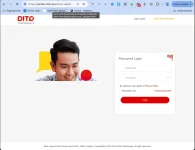
DSCM Auto Creation Account no need Government ID and OTP
Just Enter your Omni Shop or your Retailer Shop Name
Enter Your Name and Last Name
Enter your Active Gmail and Phone Number(Any Sim Smart or Globe, TM, TNT, or DITO basta Active Number basta hindi pa nareregister ang Number sa DSCM.)
Enter Your Address
Enter Your Region ID: I suggest to enter this Region 117523
Then Submit, you can recieve an SMS from DITO and you will recieve an Email with your Staffcode and Temporary Password that you can Log-In on DSCM App or Via WebYou do not have permission to view the full content of this post. Log in or register now.
You can check here if your Staffcode is Activated
click this link : You do not have permission to view the full content of this post.
Log in or register now.For DSCM Promo Registration Website: You do not have permission to view the full content of this post. Log in or register now.