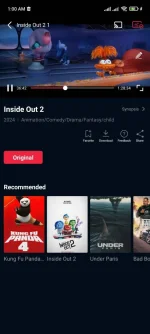
Hello! I understand you're having trouble casting to your smart TV from your Ngetflix app. Here are some troubleshooting steps you can try:
1. Check Network Connection: Make sure both your device running the Ngetflix app and your smart TV are connected to the same Wi-Fi network.
2. Update Software: Ensure that both your device and your smart TV have the latest software updates installed. Outdated software can cause compatibility issues.
3. Restart Devices: Try restarting both your device running the Ngetflix app and your smart TV. This can sometimes resolve connectivity issues.
4. Try a Different Device: If possible, try casting from a different device to see if the issue is specific to the device you're currently using.
5. Use HDMI Cable: If casting wirelessly continues to be a problem, consider using an HDMI cable to connect your device directly to the smart TV.
6. Check App Permissions: Make sure that the Ngetflix app has the necessary permissions to cast to your smart TV. Check the app settings on your device.
7. Contact Support: If none of the above steps work, reach out to the Ngetflix support team for further assistance. They may have specific troubleshooting steps for your device and TV model.
I hope one of these suggestions helps you resolve the casting issue with your Ngetflix app. Let me know if you need further assistance!
 PH
PH