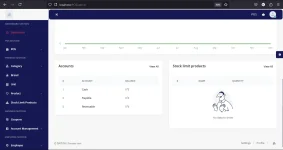
PH
PHPHC - Raymond
Elite
POS System
You do not have permission to view the full content of this post. Log in or register now.
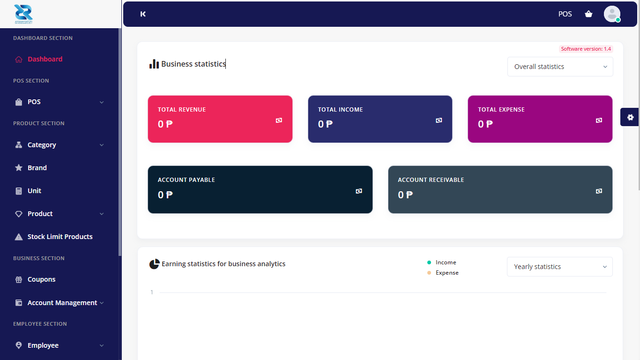
Steps:
1. Download the Link below. and extract
You do not have permission to view the full content of this post. Log in or register now.
2. Install Xampp and start the Apache and MySQL
3. Create Database and put a password on it. (Do research kung di mo alam pano mag lagay ng password sa DB mo)
4. Copy the POS folder to C:\xampp\htdocs
5. Run it to your browser. localhost/pos
6. follow the installation process.
6.1. Check and Enable all permission needed.
6.2. Provide your Username (Any) & the Purchase code (Any)
6.3. Provide your database information.
6.4. Click the Click Here button
6.5. Create your Admin Account credentials and Complete Installation
AND THATS IT! Good Luck
DO RESEARCH KUNG MY PROCESS KANG HINDI ALAM PANO GAWIN.
sa mga mag papaturo, pang kape lng.. beke nemen haha
You do not have permission to view the full content of this post. Log in or register now.
Server Requirements
- POS requires PHP v8.0+ and MySQL 5.7+
- Mod_rewrite Apache
- BCMath PHP extension
- Ctype PHP, JSON, Mbstring, OpenSSL, PDO, Tokenizer, XML, Zip, Fileinfo, Gd, sodium Extension
Steps:
1. Download the Link below. and extract
You do not have permission to view the full content of this post. Log in or register now.
2. Install Xampp and start the Apache and MySQL
3. Create Database and put a password on it. (Do research kung di mo alam pano mag lagay ng password sa DB mo)
4. Copy the POS folder to C:\xampp\htdocs
5. Run it to your browser. localhost/pos
6. follow the installation process.
6.1. Check and Enable all permission needed.
6.2. Provide your Username (Any) & the Purchase code (Any)
6.3. Provide your database information.
6.4. Click the Click Here button
6.5. Create your Admin Account credentials and Complete Installation
AND THATS IT! Good Luck
DO RESEARCH KUNG MY PROCESS KANG HINDI ALAM PANO GAWIN.
sa mga mag papaturo, pang kape lng.. beke nemen haha