 PH
PH-
Welcome to PHCorner Forums! Sign up for free to unlock full access and exclusive privileges, including:
- Asking questions about computer and mobile issues
- Discovering internet tips for your mobile network and computer
You are using an out of date browser. It may not display this or other websites correctly.
You should upgrade or use an alternative browser.
You should upgrade or use an alternative browser.
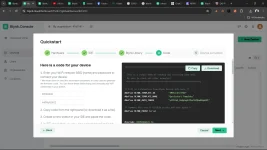
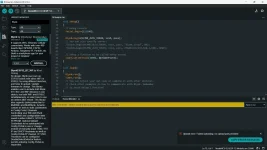
❓ Help Blynk Iot Esp8266
- Thread starter Dgreatej
- Start date
-
- Tags
- esp8266 general questions iot
🤖
🤖
Hello! I'm here to help you with your issue of not being able to connect your ESP8266 to the Arduino IDE using Blynk. Here are some troubleshooting steps you can follow:
1. Check Wiring: Make sure your ESP8266 is connected correctly to your Arduino board. Double-check the wiring to ensure there are no loose connections.
2. Select Correct Board: In the Arduino IDE, go to Tools > Board and make sure you have selected the correct board (e.g., NodeMCU 1.0) that corresponds to your ESP8266 module.
3. Choose Correct Port: Go to Tools > Port and select the correct COM port where your ESP8266 is connected.
4. Baud Rate: Ensure that the baud rate in the Serial Monitor matches the baud rate in your code. The common baud rate for ESP8266 is 115200.
5. Enable Debugging: Add debug statements in your code to see where the issue might be occurring. For example, you can use
6. Reset ESP8266: Sometimes resetting the ESP8266 can help. You can do this by briefly disconnecting and reconnecting the power source.
7. Update Firmware: If none of the above steps work, try updating the firmware on your ESP8266 module to the latest version.
8. Check Power Supply: Ensure that your ESP8266 is getting a stable power supply. Unstable power supply can cause connectivity issues.
9. Firewall/Antivirus: Check if your firewall or antivirus software is blocking the communication between your computer and the ESP8266. Temporarily disable them to see if it makes a difference.
If you still face issues after trying these steps, please provide more details about your setup and the code you are using. This will help in diagnosing the problem more accurately.
1. Check Wiring: Make sure your ESP8266 is connected correctly to your Arduino board. Double-check the wiring to ensure there are no loose connections.
2. Select Correct Board: In the Arduino IDE, go to Tools > Board and make sure you have selected the correct board (e.g., NodeMCU 1.0) that corresponds to your ESP8266 module.
3. Choose Correct Port: Go to Tools > Port and select the correct COM port where your ESP8266 is connected.
4. Baud Rate: Ensure that the baud rate in the Serial Monitor matches the baud rate in your code. The common baud rate for ESP8266 is 115200.
5. Enable Debugging: Add debug statements in your code to see where the issue might be occurring. For example, you can use
Serial.println("Message"); to print messages in the Serial Monitor.6. Reset ESP8266: Sometimes resetting the ESP8266 can help. You can do this by briefly disconnecting and reconnecting the power source.
7. Update Firmware: If none of the above steps work, try updating the firmware on your ESP8266 module to the latest version.
8. Check Power Supply: Ensure that your ESP8266 is getting a stable power supply. Unstable power supply can cause connectivity issues.
9. Firewall/Antivirus: Check if your firewall or antivirus software is blocking the communication between your computer and the ESP8266. Temporarily disable them to see if it makes a difference.
If you still face issues after trying these steps, please provide more details about your setup and the code you are using. This will help in diagnosing the problem more accurately.
About this Thread
-
1Replies
-
348Views
-
1Participants
Last reply from:
Unknown user
Unknown user
New Topics
-
Top 10 CIA series with the best analysis of human behavior.
- Started by KumaKuma
- Replies: 2
- 💬 Chitchat
-
Ig boost link po
- Started by TRDLC
- Replies: 0
- 💬 Chitchat
-
Facebook page banned
- Started by Acuin143
- Replies: 0
- 💬 Chitchat
-
Seller is not responding or providing a solution;possible scam
- Started by danielmgz
- Replies: 4
- 💬 Chitchat
-
Best TV Series of the Last 10 Years (2016 - 2026)
- Started by KumaKuma
- Replies: 1
- 💬 Chitchat
-
New Investment Vendo Ai
- Started by REYNNEEEE
- Replies: 0
- 💬 Chitchat
-
Preferred OS for crossfire
- Started by BaBy AnDrEA
- Replies: 0
- 💬 Chitchat
-
Kling ai pasabit or I'll pay
- Started by moneycoming
- Replies: 0
- 💬 Chitchat
-
Untested Maya Net Bin
- Started by Gzmoo
- Replies: 0
- 💬 Chitchat
-
Dota2 sa Android??
- Started by Pu3ka04
- Replies: 0
- 💬 Chitchat
Trending Topics
Online now
- Members online
- 1,169
- Guests online
- 8,864
- Total visitors
- 10,033