❓ Help Seeking help on how I can convert my GUI Java Class from my Console Base Java Output

Eira1318

Honorary Poster
Does anyone can help me with Java GUI Payroll System as our School project in Java Course I already have a Console based version of that Program that you can use as your Project Baseline, I also created a GUI Form as your template. The only struggle I have is how can I incorporate that console based version into GUI components .

No SQL needed, The database is just a simple CSV File,

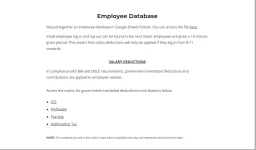
what I would like to do is to make all the employee information shown in the table and also make the same calculations and error handling as same what I had from my Console based version of the output? This program is only for academic purposes


Accomplished Java Console Version Link :You do not have permission to view the full content of this post. Log in or register now.

GUI Forms Template Link : You do not have permission to view the full content of this post. Log in or register now.


markuphero-bQPjmQPOwmOXEOrRgkdL.webp
 
I can assist you with converting your Java GUI Payroll System using the Console based version as a baseline. Here are the steps you can follow to incorporate the console-based functionality into your GUI components:

1. Understand the Console Based Version: Make sure you understand how the console-based version works, including the structure, classes, and logic involved in processing employee information and calculations.

2. Java Swing GUI Components: Since you have a GUI form template, you can start by designing your GUI interface using Java Swing components like JFrame, JTable, JLabel, JTextField, JButton, etc. This will provide the visual layout for your Payroll System.

3. Model-View-Controller (MVC) Design Pattern: Consider implementing the MVC design pattern to separate the concerns of your application. The model will handle the business logic and data manipulation, the view will represent the GUI components, and the controller will act as the intermediary between the model and view.

4. Reading and Writing CSV Files: You can use libraries like OpenCSV to read and write data to CSV files in Java. This will allow you to store and retrieve employee information from the CSV file.

5. Populating Data in Table: When the GUI loads, read the employee information from the CSV file and populate it in a JTable to display all the employee details.

6. Performing Calculations: Implement the same calculations and error handling logic as in the console-based version. You can trigger these calculations based on user actions like button clicks or text field edits.

7. Handling Events: Use ActionListeners to handle events like button clicks. For example, when the user clicks a "Calculate" button, perform the necessary calculations and update the GUI accordingly.

8. Error Handling: Implement validation checks to ensure that the user inputs are valid. You can display error messages in JOptionPane dialogs or labels on the GUI to notify the user of any errors.

9. Testing and Refining: Test your GUI Payroll System thoroughly to ensure that all functionalities work as expected. Make any necessary refinements to enhance the user experience.

By following these steps and incorporating the console-based functionality into your GUI components, you can successfully convert your Java GUI Payroll System for your academic project. If you encounter any specific challenges during the implementation, feel free to ask for further assistance. Good luck with your project!
 

About this Thread

  • 2
    Replies
  • 530
    Views
  • 2
    Participants
Last reply from:
Jcy1R

Trending Topics

Online now

Members online
969
Guests online
1,370
Total visitors
2,339

Forum statistics

Threads
2,273,370
Posts
28,949,048
Members
1,235,719
Latest member
Wzpprince
Back
Top