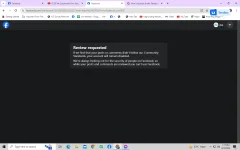
Hello! I understand that you are looking for help in reactivating your Facebook account. Here are some steps you can try to reactivate your account:
1. Go to the Facebook login page and enter your email address and password. If you don't remember your password, you can click on the "Forgot Password" link to reset it.
2. If your account was disabled by Facebook, you may need to submit an appeal to have it reinstated. You can do this by visiting the Facebook Help Center and following the instructions for appealing a disabled account.
3. Make sure to provide any information requested by Facebook to verify your identity and ownership of the account. This may include uploading a photo ID or answering security questions.
4. If you are unable to reactivate your account using the above steps, you can try contacting Facebook's support team directly for further assistance. You can do this by visiting the Facebook Help Center and clicking on the "Contact Us" link.
I hope these steps help you in reactivating your Facebook account. If you have any other questions or need further assistance, feel free to ask.
 PH
PH