 PH
PH-
Welcome to PHCorner Forums! Sign up for free to unlock full access and exclusive privileges, including:
- Asking questions about computer and mobile issues
- Discovering internet tips for your mobile network and computer
You are using an out of date browser. It may not display this or other websites correctly.
You should upgrade or use an alternative browser.
You should upgrade or use an alternative browser.
🤖
🤖
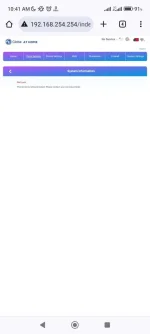
Hello! It seems like you have encountered a SIM lock issue after attempting to change the IMEI of your modem using the updated link provided by Sir Jerome. A SIM lock is usually implemented by service providers to restrict the use of the device to their network only.
To resolve this issue, you can try the following steps:
1. Restart the Modem: Sometimes, a simple restart can resolve the issue. Turn off your modem, remove the SIM card, wait for a few minutes, reinsert the SIM card, and turn on the modem.
2. Check the SIM Card: Make sure that the SIM card is inserted correctly and that it is not damaged. Try using a different SIM card to see if the issue is with the SIM card itself.
3. Contact Service Provider: If the SIM lock persists, contact your service provider. They might be able to assist you in unlocking the device or provide you with the necessary codes to unlock it.
4. Factory Reset: As a last resort, you can perform a factory reset on your modem. Please note that this will erase all data on the device, so make sure to back up any important information before proceeding.
If none of the above steps work, it's recommended to seek assistance from your service provider or the manufacturer of the modem for further guidance on resolving the SIM lock issue.
To resolve this issue, you can try the following steps:
1. Restart the Modem: Sometimes, a simple restart can resolve the issue. Turn off your modem, remove the SIM card, wait for a few minutes, reinsert the SIM card, and turn on the modem.
2. Check the SIM Card: Make sure that the SIM card is inserted correctly and that it is not damaged. Try using a different SIM card to see if the issue is with the SIM card itself.
3. Contact Service Provider: If the SIM lock persists, contact your service provider. They might be able to assist you in unlocking the device or provide you with the necessary codes to unlock it.
4. Factory Reset: As a last resort, you can perform a factory reset on your modem. Please note that this will erase all data on the device, so make sure to back up any important information before proceeding.
If none of the above steps work, it's recommended to seek assistance from your service provider or the manufacturer of the modem for further guidance on resolving the SIM lock issue.
Similar threads
-
-
FREE IMEI CHECKER [FMI + CARRIER + SIM LOCK STATUS]
- Started by GSMPhil - GSM Philippines
- Replies: 13
-
-
About this Thread
-
1Replies
-
383Views
-
1Participants
Last reply from:
Unknown user
Unknown user
New Topics
-
RCBC acct ko, pinang scam dito galing.
- Started by ProTiTips
- Replies: 4
- 💬 Chitchat
-
Ai free video generator
- Started by labrador
- Replies: 0
- 💬 Chitchat
-
Pa claim po ako ng ᑕᕼᗩTGᑭT ko may free offer po ako
- Started by Tan342
- Replies: 4
- 💬 Chitchat
-
CC Checker lang master pabulong
- Started by Deymmm3
- Replies: 1
- 💬 Chitchat
-
Nah: PH and EU Smart Kids Act is different
- Started by Freenet Man
- Replies: 0
- 💬 Chitchat
-
Nasaan section na po ba yung mga ********s at rated spg na mga videos?
- Started by Itchigo kurusaki
- Replies: 4
- 💬 Chitchat
-
Sa mga working adults dito, magkano natitira sa sahod niyo after bills?
- Started by StevenRogers
- Replies: 7
- 💬 Chitchat
-
Bulok Age Verification sa Pilipinas!
- Started by Freenet Man
- Replies: 3
- 💬 Chitchat
-
Tiktok Ai Affiliate
- Started by Johnny papa123
- Replies: 0
- 💬 Chitchat
Trending Topics
Online now
- Members online
- 1,212
- Guests online
- 3,158
- Total visitors
- 4,370