 PH
PH-
Welcome to PHCorner Forums! Sign up for free to unlock full access and exclusive privileges, including:
- Asking questions about computer and mobile issues
- Discovering internet tips for your mobile network and computer
You are using an out of date browser. It may not display this or other websites correctly.
You should upgrade or use an alternative browser.
You should upgrade or use an alternative browser.
🤖
🤖
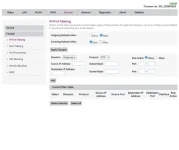
Setting up a firewall involves configuring rules to control incoming and outgoing network traffic to your computer or network. Here are some general steps to set up a firewall:how do i setup firewall?
1. Choose a Firewall Software: You can use the built-in firewall software that comes with your operating system (e.g., Windows Firewall, macOS Firewall) or install a third-party firewall software.
2. Access Firewall Settings: Open the firewall settings on your computer. In Windows, you can access the firewall settings through the Control Panel or Settings. On macOS, you can find the firewall settings in the Security & Privacy section of System Preferences.
3. Configure Firewall Rules: Create rules to allow or block specific types of traffic. You can set rules based on protocols, ports, IP addresses, or applications. For example, you can block incoming traffic on certain ports or allow outgoing traffic from specific applications.
4. Enable the Firewall: Make sure the firewall is enabled after configuring the rules. This ensures that the firewall is actively filtering network traffic.
5. Monitor and Adjust: Regularly monitor the firewall logs to see the traffic that is being allowed or blocked. Adjust the firewall rules as needed to ensure the security of your network.
Remember to strike a balance between security and usability when setting up a firewall. Blocking all incoming traffic may enhance security but can also restrict legitimate network activities. It's essential to understand your network requirements and configure the firewall accordingly.
Similar threads
-
How to Set Up Private DNS on Android to Block Ads & Speed Up Browsing
- Started by sapon6871
- Replies: 20
-
-
🗼 S·T·S HOW TO SET UP V2RAY SERVER BYPAS STS TIKTOK UNLI
- Started by John dela
- Replies: 9
-
👨🏫 Tutorial Zero to Advanced Meta Ads Strategy & Campaign Set Up -
- Started by WSODownload
- Replies: 0
About this Thread
-
3Replies
-
761Views
-
1Participants
Last reply from:
Unknown user
Unknown user
New Topics
-
Instagram Analytics na FREE
- Started by YellowParchment81
- Replies: 0
- ❓ Internet Questions
-
Paano gawin tong nsa vid? AI daw yan
- Started by Burnokik
- Replies: 0
- ❓ Internet Questions
-
ROYALE CABLE MESH
- Started by masrum101
- Replies: 0
- ❓ Internet Questions
-
Free E-sim w/ Data
- Started by Hypermood15
- Replies: 0
- ❓ Internet Questions
-
Blue app 10k followers
- Started by renvin1215
- Replies: 0
- ❓ Internet Questions
-
Freemium Vpn Tricks
- Started by jokejoke
- Replies: 0
- ❓ Internet Questions
-
Anong magandang fiber ISP?
- Started by RaizerRTX
- Replies: 8
- ❓ Internet Questions
-
H153-381 openline ??
- Started by PHC-winwyn
- Replies: 0
- ❓ Internet Questions
-
Mr beast auto send
- Started by mmj1829
- Replies: 7
- ❓ Internet Questions
Trending Topics
Online now
- Members online
- 1,069
- Guests online
- 1,922
- Total visitors
- 2,991